Improving A11y Measures for Autonomy: A Gallery App for Blind and Low-Vision Visitors
Digital Accessibility
Mobile Application Design
Duration
3 months, Spring 2026
Team
4 Product Designers
What I did
Secondary research (navigational accessibility), navigation assistant wireflows, hi-fi design and QA across all screens
Client
ART 75 @ Positive Exposure
Overview
Galleries are built for sighted people
ART 75, District 75's annual student art exhibition hosted in partnership with Positive Exposure, reached out to our team to investigate how accessibility measures within gallery spaces could be improved. We focused on blind and low-vision (BLV) visitors.
What we found wasn't a single design gap. It was a systemic one: galleries are built around visual perception, and almost every tool designed to compensate introduces its own layer of friction. The result is that BLV visitors can't move through a gallery on their own terms. They schedule guided tours weeks in advance, rely on sighted escorts, or don't come at all.
How might we improve existing accessibility measures to support the autonomy of BLV visitors during gallery visits?
Research
The real problem isn't access to art, it's autonomy
Through secondary research across academic literature, accessibility forums, and usability studies, we synthesized the barriers BLV visitors face into two dimensions that shaped all design decisions that followed.
1
Content Experiencing
Touching original artifacts is almost always prohibited, and tactile replicas are rarely available — and when they are, they cover only a fraction of a museum's collection (Li et al., 2023; Vaz et al., 2020).
Even where touch is permitted, most paintings are two-dimensional, meaning physical contact yields little spatial or compositional information (Maćkowski et al., 2023).
Traditional audio guides are designed for sighted audiences, omitting the specific visual references — color, placement, scale — needed for a BLV visitor to construct a mental image (Li et al., 2023).
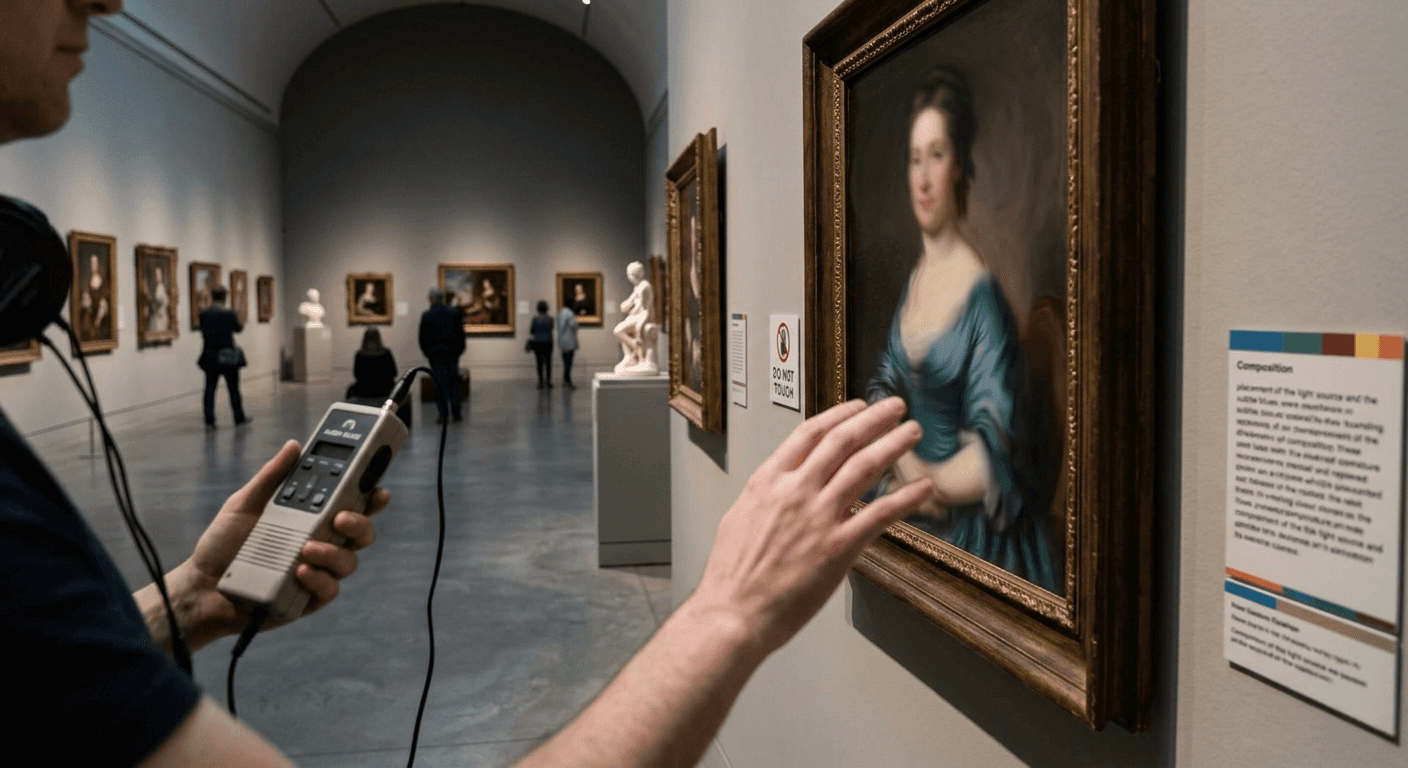
An AI-generated image of the struggles BLV visitors may encounter in gallery settings regarding experiencing content
2
Navigation
Independent mobility breaks down in gallery spaces before a visitor ever reaches the art:
Non-linear layouts, described by visitors as being "set up like an IKEA", make independent navigation nearly impossible, as entrance and exit paths differ and routes are unpredictable (Vaz et al., 2020; Reddit community discussion).
Navigating unfamiliar indoor spaces requires a "complex composition of cognitive processes" to build a mental map simultaneously with obstacle avoidance, creating a "general feeling of anxiety" (Vaz et al., 2020).
Physical cues that cane users rely on (tactile strips, colored step edges, floor boundaries) are absent in most spaces.
The social dimension compounds this: BLV visitors report embarrassment when accidentally stepping in front of others, and frustration at being dependent on sighted escorts or pre-scheduled tours.
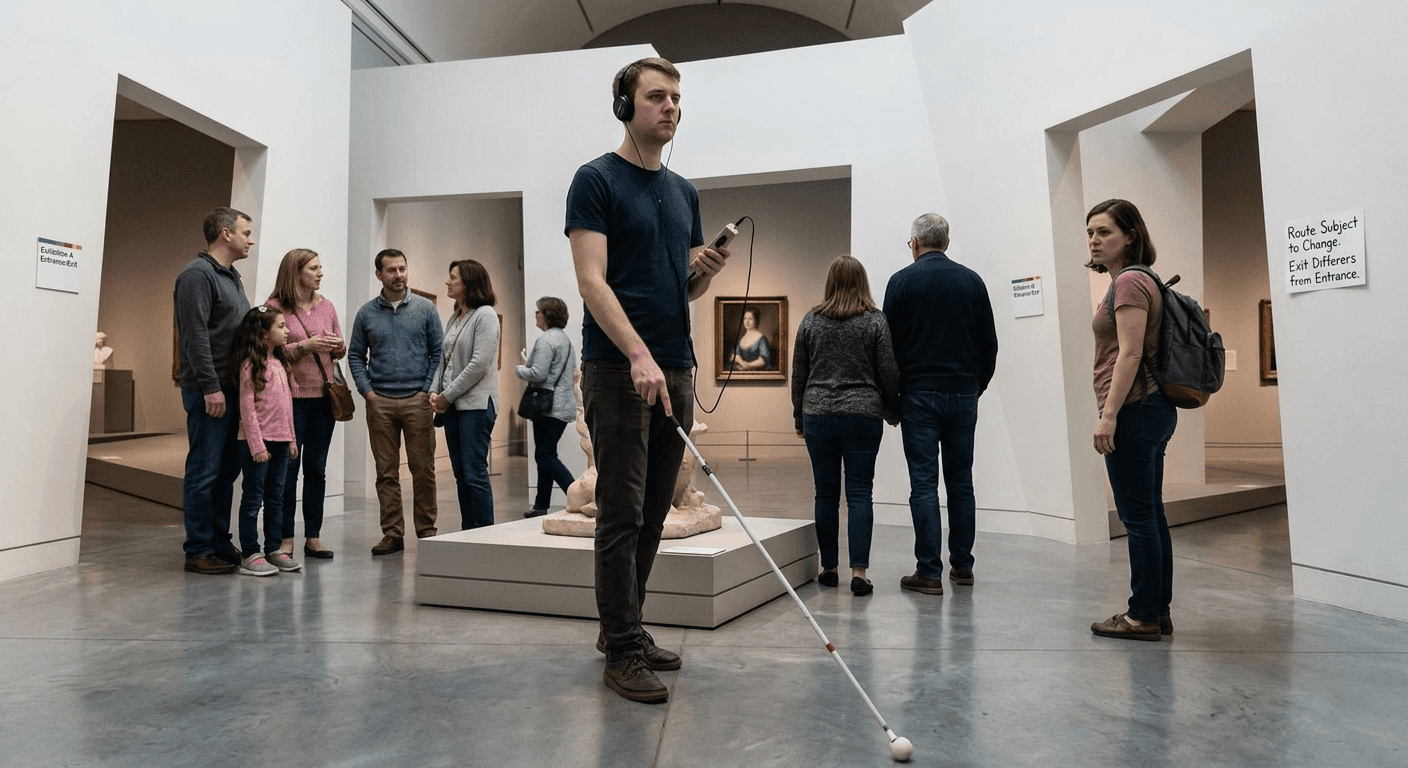
An AI-generated image of the struggles BLV visitors may encounter in gallery settings regarding navigation
These aren't isolated problems. They share a root cause:
BLV visitors are forced into dependence at every stage of a gallery visit.
Competitor Audit
Existing digital tools are failing BLV users
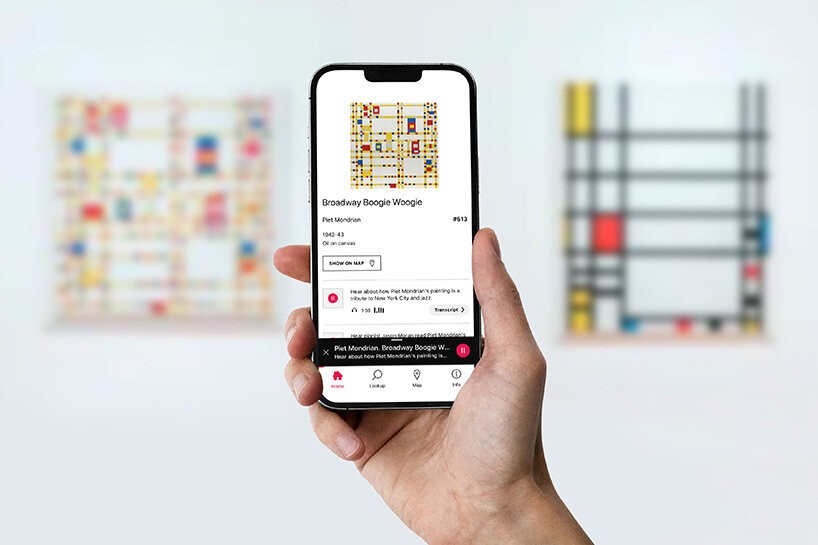
Source: Bloomberg Connects; Individual artwork page
Before moving to solutions, we audited Bloomberg Connects — the dominant gallery app in this space — using a TPGi usability study as our reference. Despite being built with accessibility as a stated priority, the app violated BLV users' needs in three key areas:
Visual affordance failures
1
Low-vision users missed content below the fold and misread carousel pagination dots as decorative elements rather than navigation cues.
Screen reader inefficiency
2
Audio clip buttons front-loaded the artwork title and duration before the action label — a screen reader user heard "Jim Eiserman sculptural screen 58 seconds" before reaching "play," burying the interactive element.
Technical inconsistency
2
A custom number pad looked native but behaved differently, with no standard confirmation of input. BLV users rely on familiar device patterns; when those patterns break, so does trust.
The gap was clear: no app had been designed from the ground up around BLV users' actual needs. That became our direction.
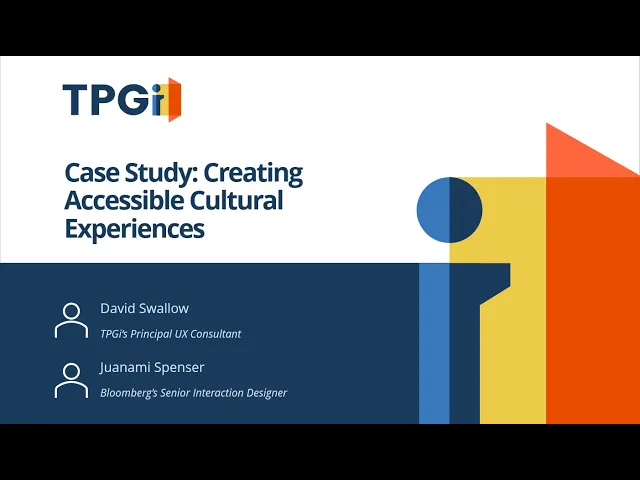
Source: TPGi YouTube channel; Case Study: Creating Accessible Cultural Experiences
Design
Introducing a new way to experience artworks for BLV Visitors
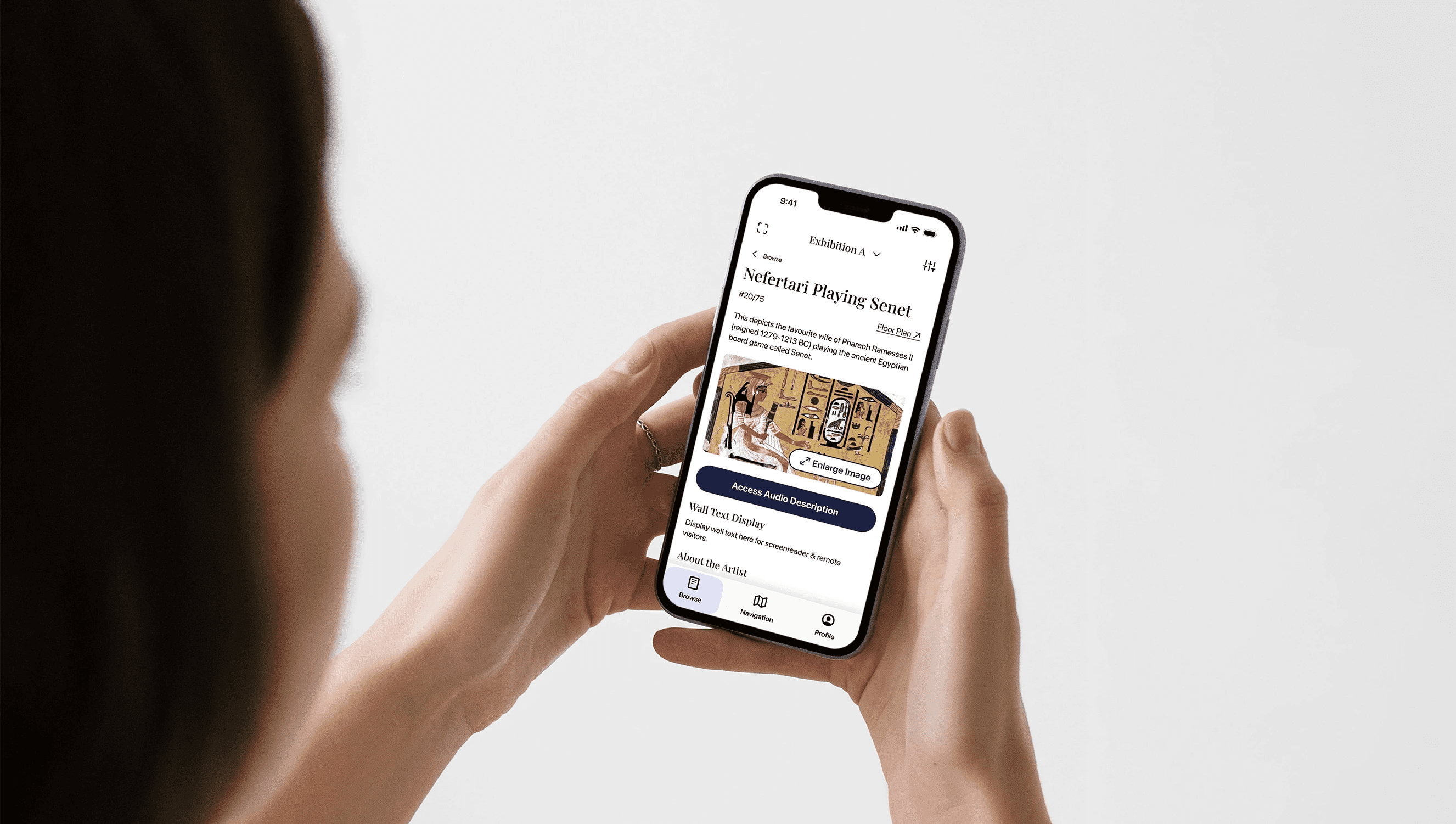
Individual artwork page of our proposed app.
Our solution is a gallery companion app built around one idea: shifting BLV visitors from being guided to choosing their path. Every feature decision connects back to either the content or navigation dimension we identified in research.
📥 Content experience: agency over how visitors take in art
Each artwork page offers audio descriptions, high-resolution deep zoom, and plain text transcriptions. The goal isn't more content, it's more choice. Key decisions:
1
Deep zoom to enlarge image details
9:41
Browse
Nefertari Playing Senet
#20/75
Floor Plan
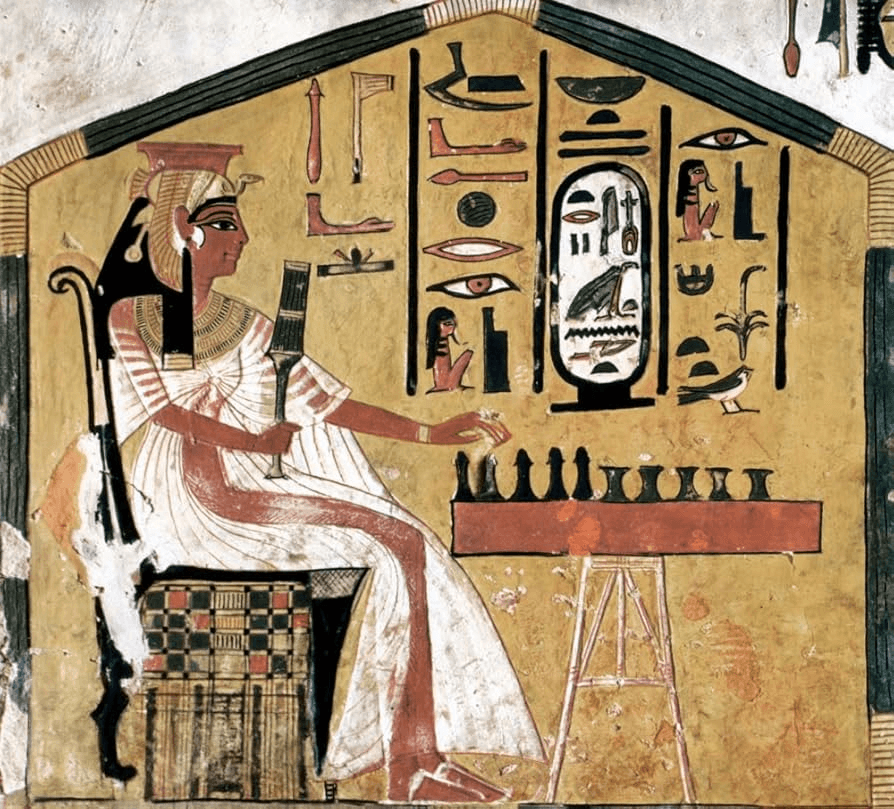
This depicts the favourite wife of Pharaoh Ramesses II (reigned 1279-1213 BC) playing the ancient Egyptian board game called Senet.

Access Audio Description
Image Description
Objective description of the artwork visuals
Wall Text Display
Display wall text here for screenreader & remote visitors.
About the Artist
One of the best known wall paintings from Nefertari’s tomb (QV66).
Where do you want to go next?
Use the buttons below or click search below.
Previous artworks can be found on the left of your current position. While Next artworks can be found on the right.
Previous
Next
Browse
Navigation
Profile
The ability to zoom in on high-resolution digital images is a critical tool for independent exploration.
“This is helpful when I am at an exhibit that does not have very good lighting, or if there is a gate keeping me from getting close enough to view the item on display.”
2
Progressive disclosure on audio descriptions
9:41
Browse
Nefertari Playing Senet
#20/75
Floor Plan
This depicts the favourite wife of Pharaoh Ramesses II (reigned 1279-1213 BC) playing the ancient Egyptian board game called Senet.
Access Audio Description
Image Description
Objective description of the artwork visuals
Wall Text Display
Display wall text here for screenreader & remote visitors.
About the Artist
One of the best known wall paintings from Nefertari’s tomb (QV66).
Where do you want to go next?
Use the buttons below or click search below.
Previous artworks can be found on the left of your current position. While Next artworks can be found on the right.
Previous
Next
Browse
Navigation
Profile
9:41
Browse
Nefertari Playing Senet
#20/75
Floor Plan
This depicts the favourite wife of Pharaoh Ramesses II (reigned 1279-1213 BC) playing the ancient Egyptian board game called Senet.
Image Description (1/3)
1x
Close Audio
Show Transcript
Where do you want to go next?
Use the buttons below or click search below.
Previous artworks can be found on the left of your current position. While Next artworks can be found on the right.
Previous
Next
Browse
Navigation
Profile
Progressive disclosure keeps the interface uncluttered, surfacing additional modalities only when the visitor requests them.
Supporting both visual and audio modes of accessing info, with Improved Coordination across Modalities. (Li et al., 2023)
3
Playback controls allow flexbility in pace
9:41
Browse
Nefertari Playing Senet
#20/75
Floor Plan
This depicts the favourite wife of Pharaoh Ramesses II (reigned 1279-1213 BC) playing the ancient Egyptian board game called Senet.
Image Description (1/3)
1x
Close Audio
Show Transcript
Where do you want to go next?
Use the buttons below or click search below.
Previous artworks can be found on the left of your current position. While Next artworks can be found on the right.
Previous
Next
Browse
Navigation
Profile
Supporting both visual and audio modes of accessing info, with Improved Coordination across Modalities. (Li et al., 2023)
Addressing the cognitive saturation that occurs when content is delivered faster than a user can retain it.
🗺️ Navigation: research-driven language and real-time orientation
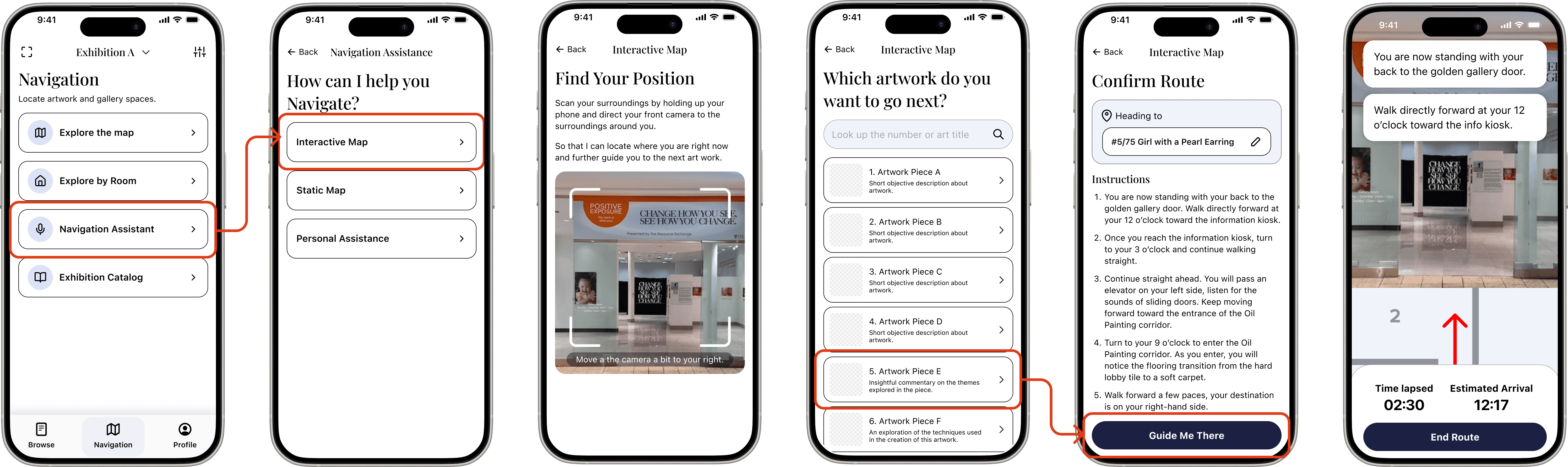
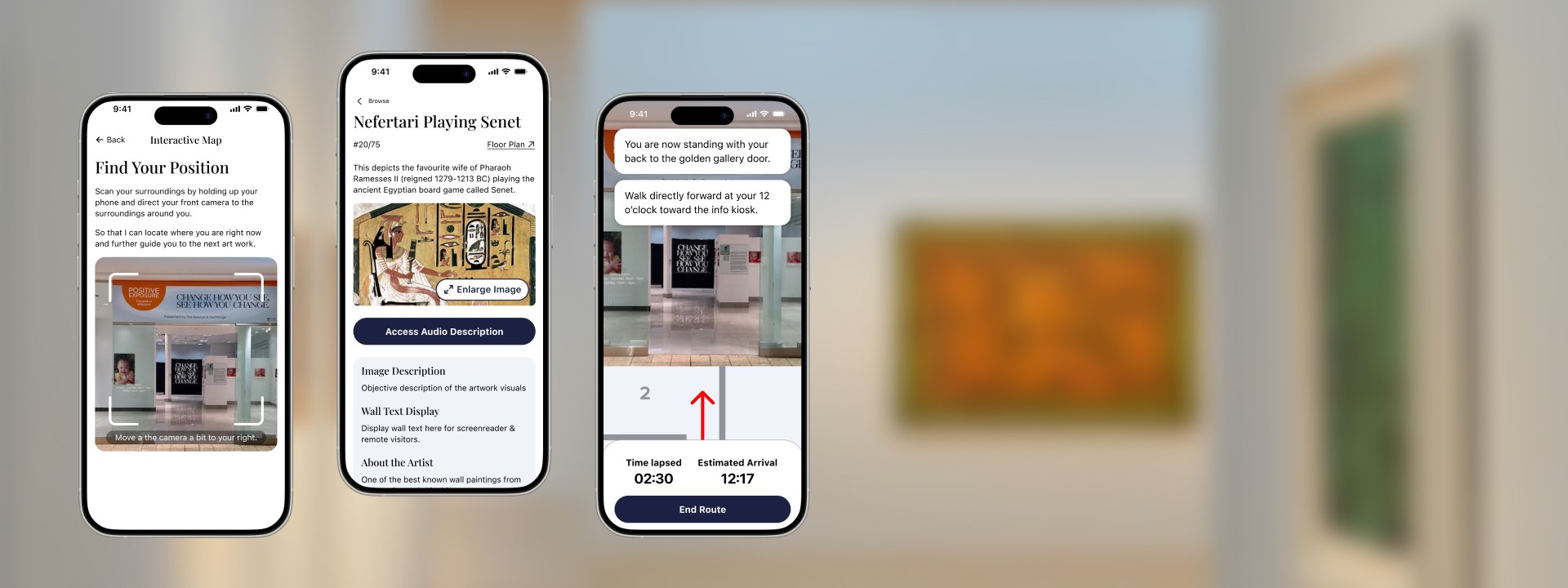
Wireflow for navigation assistant feature
The navigation assistant was my primary design focus. The interaction patterns were adapted from GoodMaps — a leading infrastructure-free indoor navigation platform, with usability research conducted across nearly 200 participants in real-world venues including museums and galleries.
GoodMaps provided a proven model for how step-by-step navigation flows should be structured: how screens sequence, what information surfaces at each step, and how a user moves through a guidance flow without losing orientation.
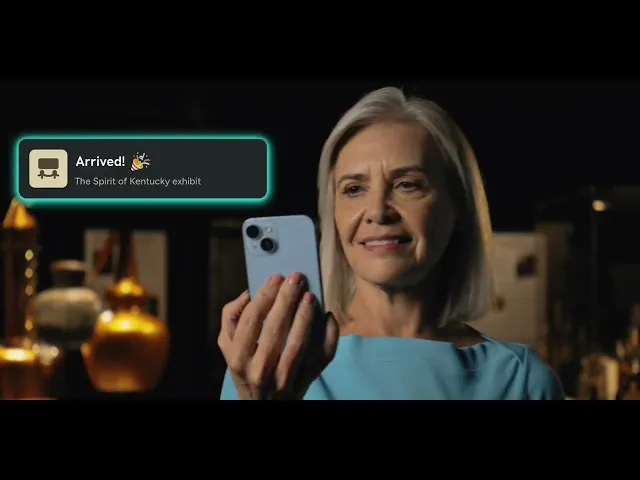
Source: GoodMaps YouTube channel; GoodMaps – Brand Film [AD]
Where we made deliberate design decisions was in the language layered into those patterns. Drawing from Kamikubo et al. (2020), three research principles shaped every directional cue:
1
Clock-face orientation over degrees
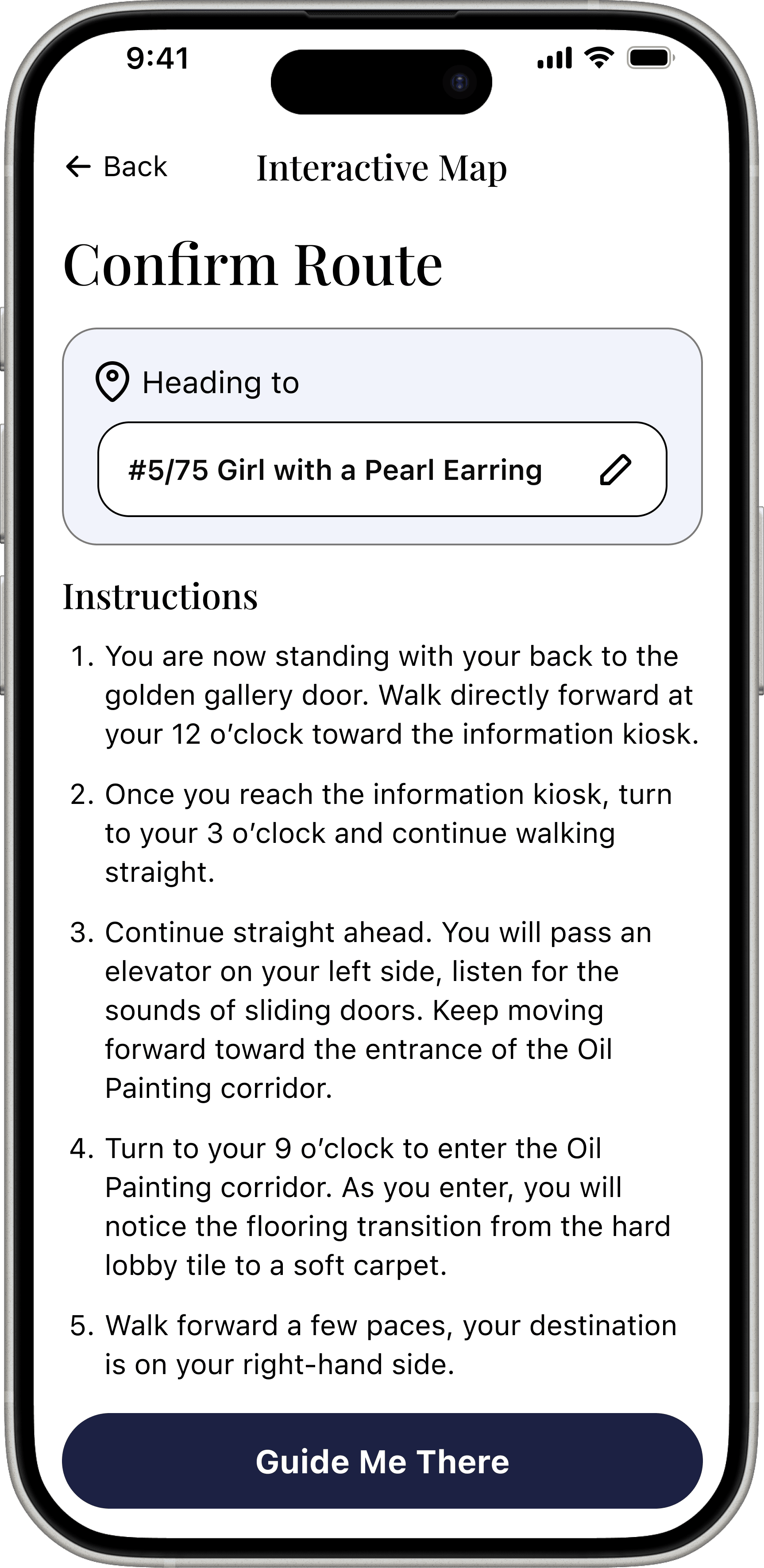
Participants in Kamikubo et al. reported being able to "intuitively understand and respond quickly" to directions using clock positions (e.g., "the entrance is at your 3 o'clock"). Degree-based commands like "turn 90 degrees" caused users to move "too slow and cautious" because they required active mental translation while in motion. All turn directions in the navigation assistant use clock-face language.
2
Contextual landmarks over abstract data
Rather than "turn right in 5 meters," the app uses language like "face the wall — the entryway is on your right." This gives visitors a mental model of what's ahead, not just a prompt to react to (Kamikubo et al., 2020).
3
Predictive, not reactive, guidance
The research distinguishes between systematic commands ("stop, turn right") and preparatory information ("after this turn, you'll be approaching the next gallery room"). The navigation assistant is designed to tell users what to expect next, reducing the anxiety that comes from incomplete spatial context (Kamikubo et al., 2020).
Design QA
I ensured that our designs follow interaction and a11y practices
I finalized the hi-fi pass across all screens, which meant holding the quality bar so the team's research rigor translated into the actual interface. Specific fixes:
Touch targets
1
Touch targets standardized to 44px minimum across all interactive elements, per WCAG and Fitts' Law — a smaller target requires more precision, which creates real friction for users with motor or vision impairments.
Icon stroke weight
2
Icon stroke weights unified across the full icon set for visual consistency, particularly relevant for low-vision users who may be navigating with enlarged text or high contrast settings.
Card styles and components
3
Card styles and bottom navigation consolidated so the interface behaves predictably regardless of which screen a user enters from. For BLV users, inconsistency isn't just visual noise — it's a trust problem.
Next Steps
What comes next is bigger than UX
🛠️ Technical Constraints
Live indoor navigation depends on LiDAR mapping of each physical venue, currently the core technology behind apps like GoodMaps, which requires either hardware installation or camera-based scanning infrastructure at scale.
Artwork content (audio descriptions, transcriptions, high-resolution images) must be produced and maintained per venue, creating an ongoing content operations burden.
🏛️ Institutional Constaints
Galleries and museums would need to adopt and maintain the platform, requiring buy-in from institutions that have historically deprioritized BLV accessibility investment
Reaching BLV communities who have already written off digital museum tools requires trust-building that goes beyond a product launch.
🛣️ Implementation Roadmap
Phase 1: Content layer
1
Launch a venue-agnostic version focused entirely on the content experience dimension: layered audio descriptions, deep zoom, plain text transcriptions, and playback controls. This version requires no venue infrastructure and can be piloted with a single partner institution like ART 75, establishing proof of concept for both the product and the institutional partnership model.
Phase 2: Navigation layer
2
Once venue partnerships are established and LiDAR mapping or equivalent infrastructure is in place, integrate the navigation assistant. This phase connects the content and navigation dimensions into a unified experience — the full shift from "I'm being guided" to "I'm choosing my path."
Reflections
What I'd do differently…
The scope of this project required us to move from research directly into design without the time or resources for primary research with BLV visitors.
I would have wanted to interview gallery-goers to pressure-test our two-dimension framework, and run usability testing on the designs before finalizing them. When you're doing both research and design within the same project window, something has to be sacrificed, and in this case, it was the validation layer.
What I'm proud of is that secondary research still grounded every single design decision. That discipline made the absence of primary research feel less like a gap and more like a clear next step.
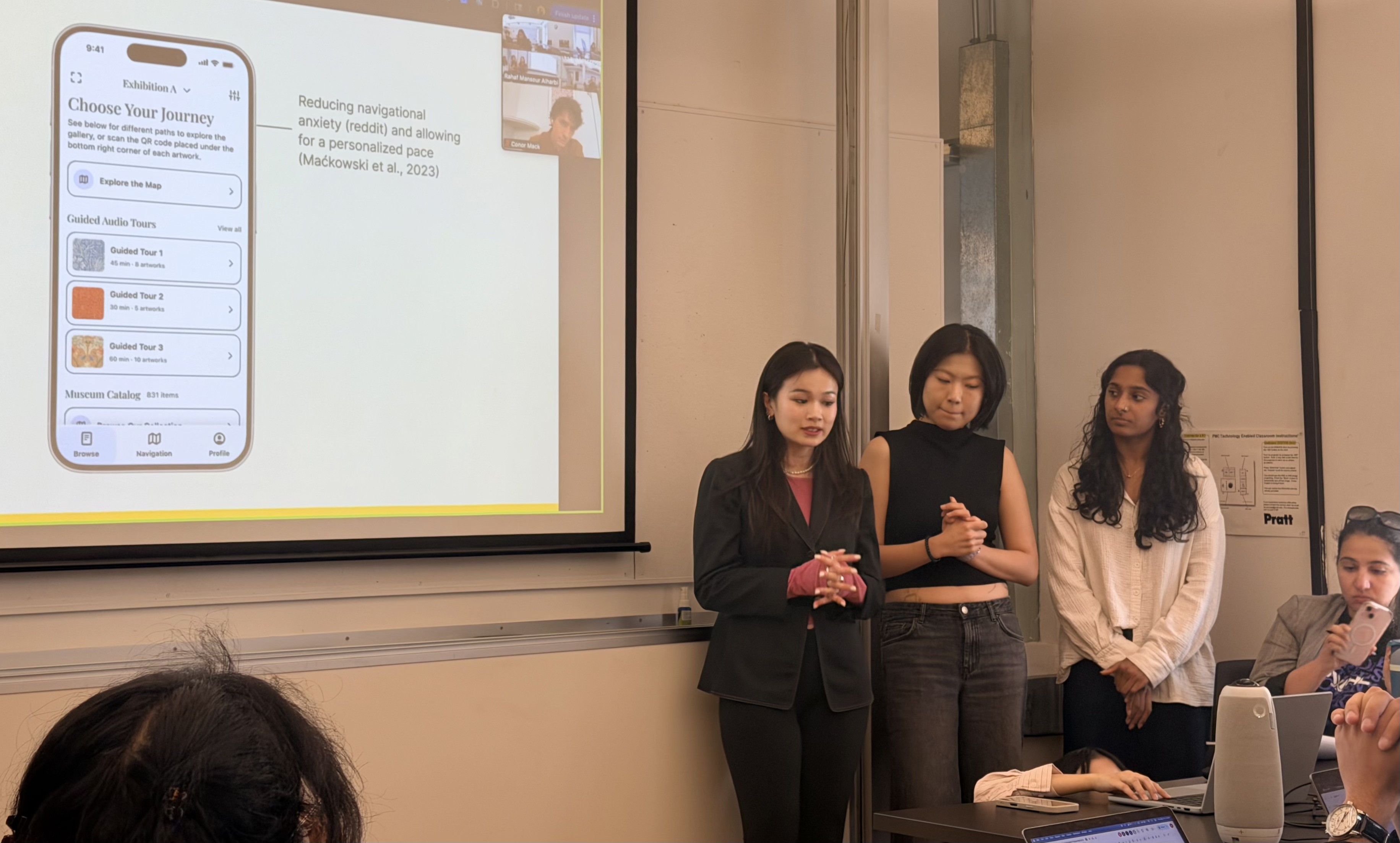
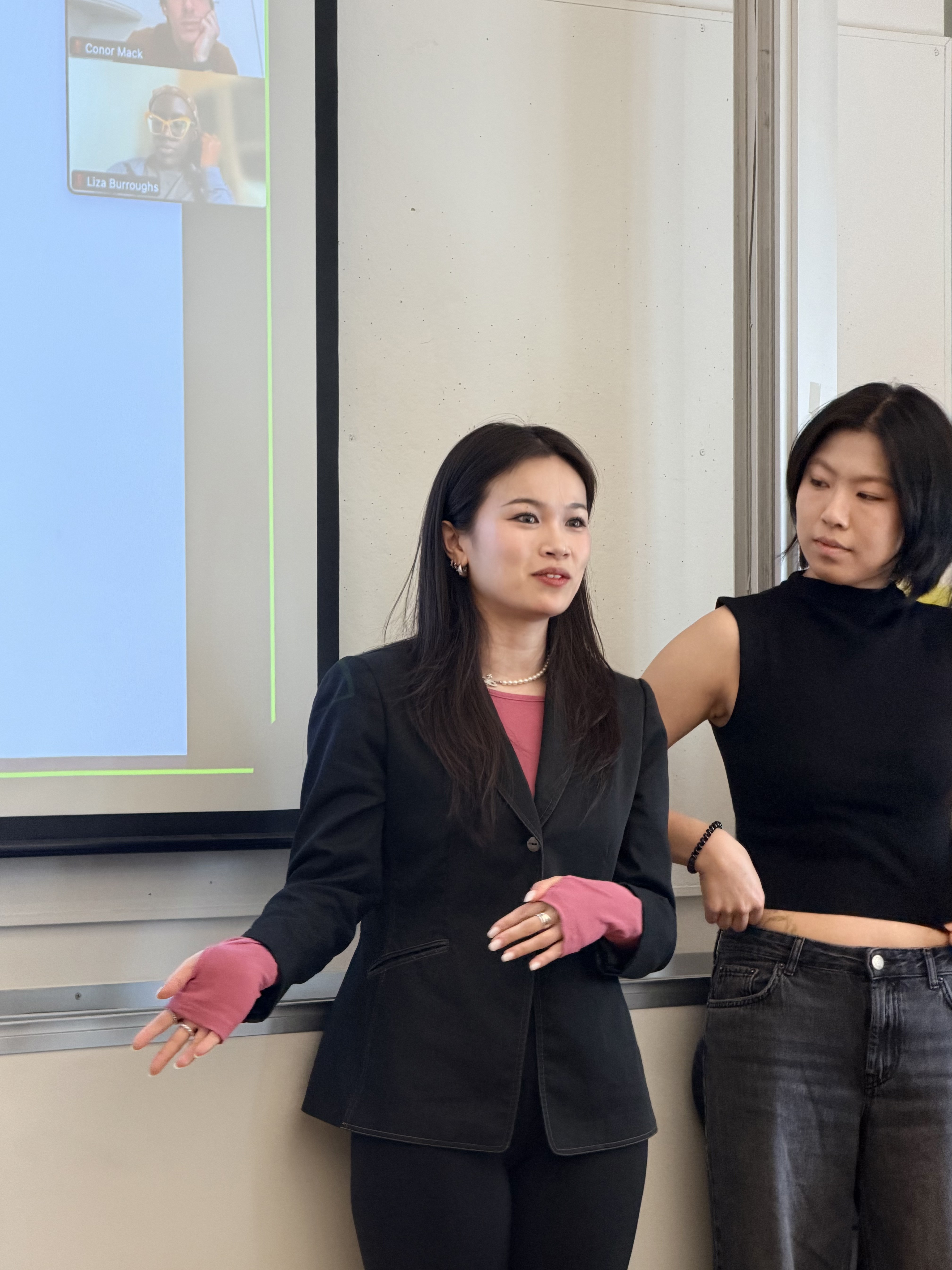
Me and my team presenting our findings and designs to other teams, that had a different disability focus on the improvement of a11y measures in galleries.
Citations
References
Kamikubo, R., Kato, N., Higuchi, K., Yonetani, R., & Sato, Y. (2020). Support Strategies for Remote Guides in Assisting People with Visual Impairments for Effective Indoor Navigation. CHI Conference on Human Factors in Computing Systems.
Li, F. M., Zhang, L., Bandukda, M., Stangl, A., Shinohara, K., Findlater, L., & Carrington, P. (2023). Understanding Visual Arts Experiences of Blind People. Proceedings of the 2023 CHI Conference on Human Factors in Computing Systems. https://doi.org/10.1145/3544548.3580941
Maćkowski, M., Brzoza, P., Kawulok, M., Meisel, R., & Spinczyk, D. (2023). Multimodal Presentation of Interactive Audio-Tactile Graphics Supporting the Perception of Visual Information by Blind People. ACM Transactions on Multimedia Computing, Communications and Applications. https://doi.org/10.1145/3586076
Vaz, R., Freitas, D., & Coelho, A. (2020). Blind and Visually Impaired Visitors' Experiences in Museums: Increasing Accessibility through Assistive Technologies. The International Journal of the Inclusive Museum.
Vom Lehn, D. (2010). Discovering 'Experience-ables': Socially including visually impaired people in art museums. Journal of Marketing Management, 26(7–8), 749–769. https://doi.org/10.1080/02672571003780155