Seeing What Analytics Couldn’t:
Improving Checkout Conversion with Eye-Tracking Research
E-commerce Checkout
Eye-Tracking Usability Testing
UI/UX Design
Duration
3 months, Fall 2025
Team
3 UX consultants at the DX Center at Pratt Institute
What I did
Led client relationships and internal team coordination. Conducted eye-tracking tests.
Client

Overview
Hooked on Phonics needed more conversions but didn't know what was broken
Hooked on Phonics is a reading program for Pre-K to 2nd graders, sold primarily to parents and homeschoolers.
While subscriptions drive their business, one-time purchases represent untapped revenue. While third-party analytics (VWO) showed checkout struggles, it couldn't explain why users were abandoning carts.
Research Question
Where and why do users hesitate and struggle? And how does it affect conversions?
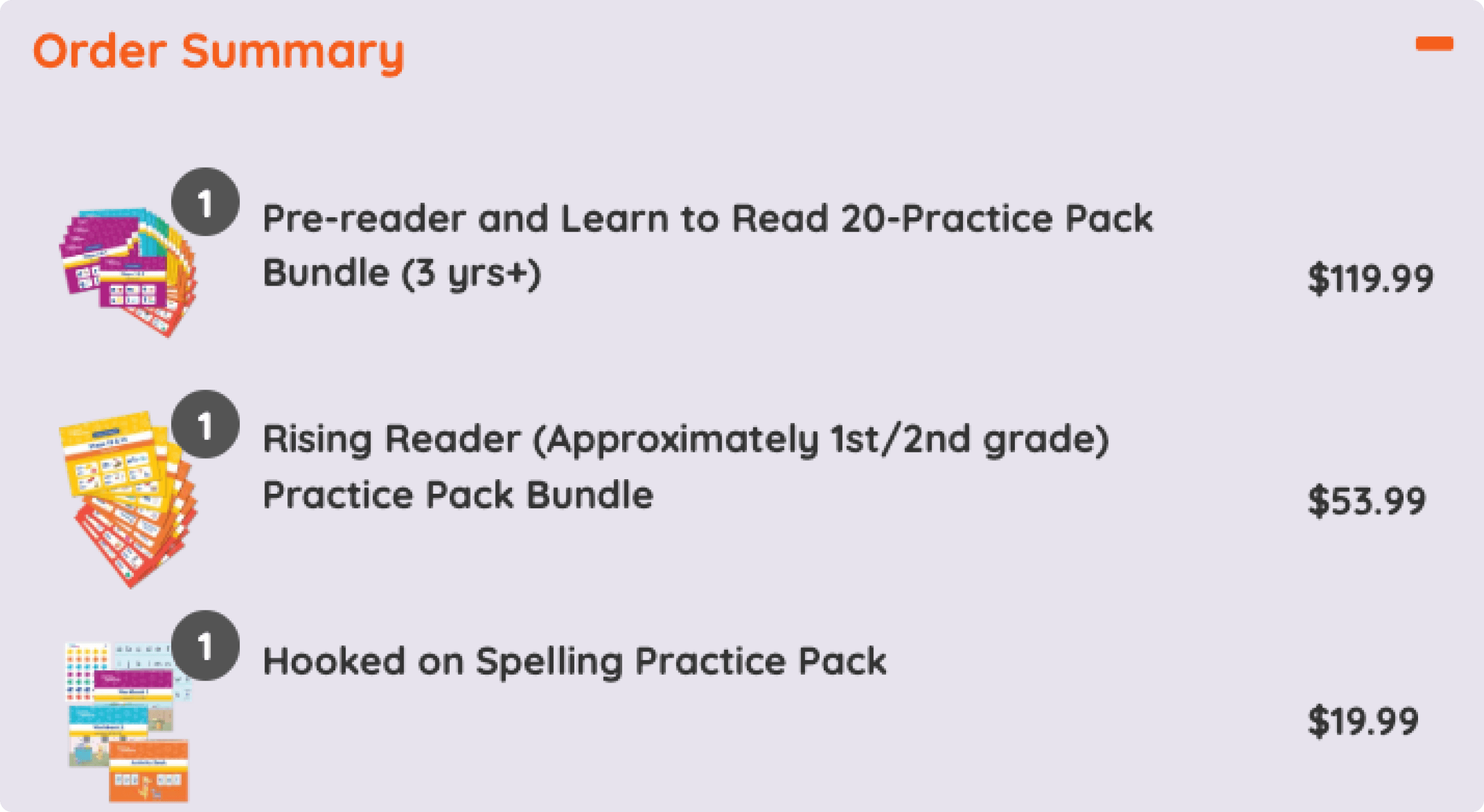
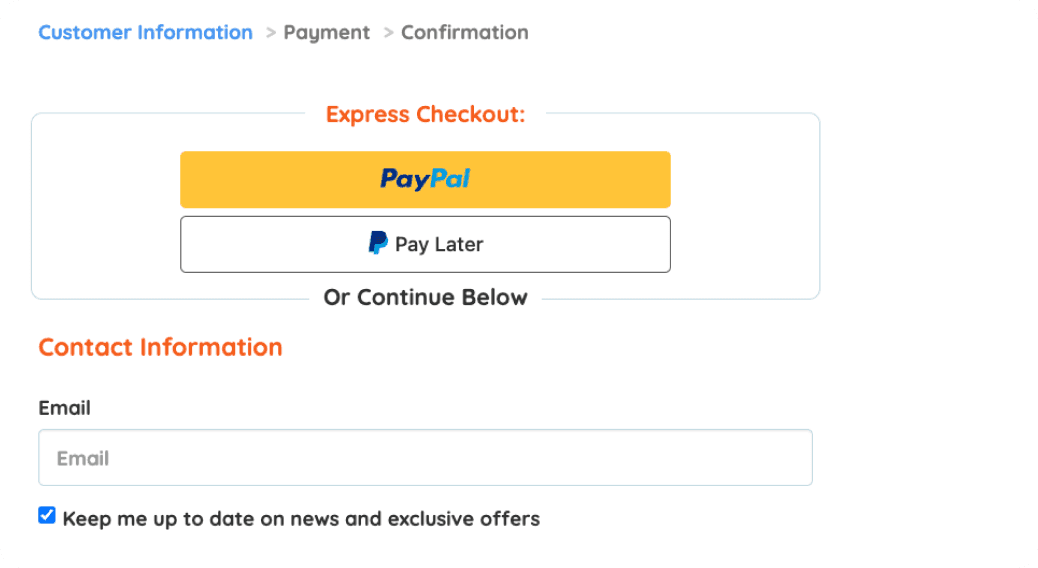
Initial evaluation task flow
Process
Why eye-tracking?
While VWO analytics showed where users clicked, it couldn't reveal where they looked, what they ignored, or where they hesitated before acting.
Eye-tracking let us see users' visual attention in real time — pinpointing friction that click data alone would miss.
Usability Tests
Users showed and told us where they struggled
In total, we recruited 7 participants (4 tested on mobile and 3 on desktop) for eye-tracking usability tests conducted at the Pratt Institute Eye-Tracking Lab via Tobii Pro Lab. With each participant completing a set of realistic shopping tasks designed to reflect common user goals.
Pairing eye-tracking with a retroactive think-aloud (RTA) we asked:
What were you expecting to see in this pop-up?
Was there anything that made you pause or reread?
Did anything behave differently or seem to be missing?


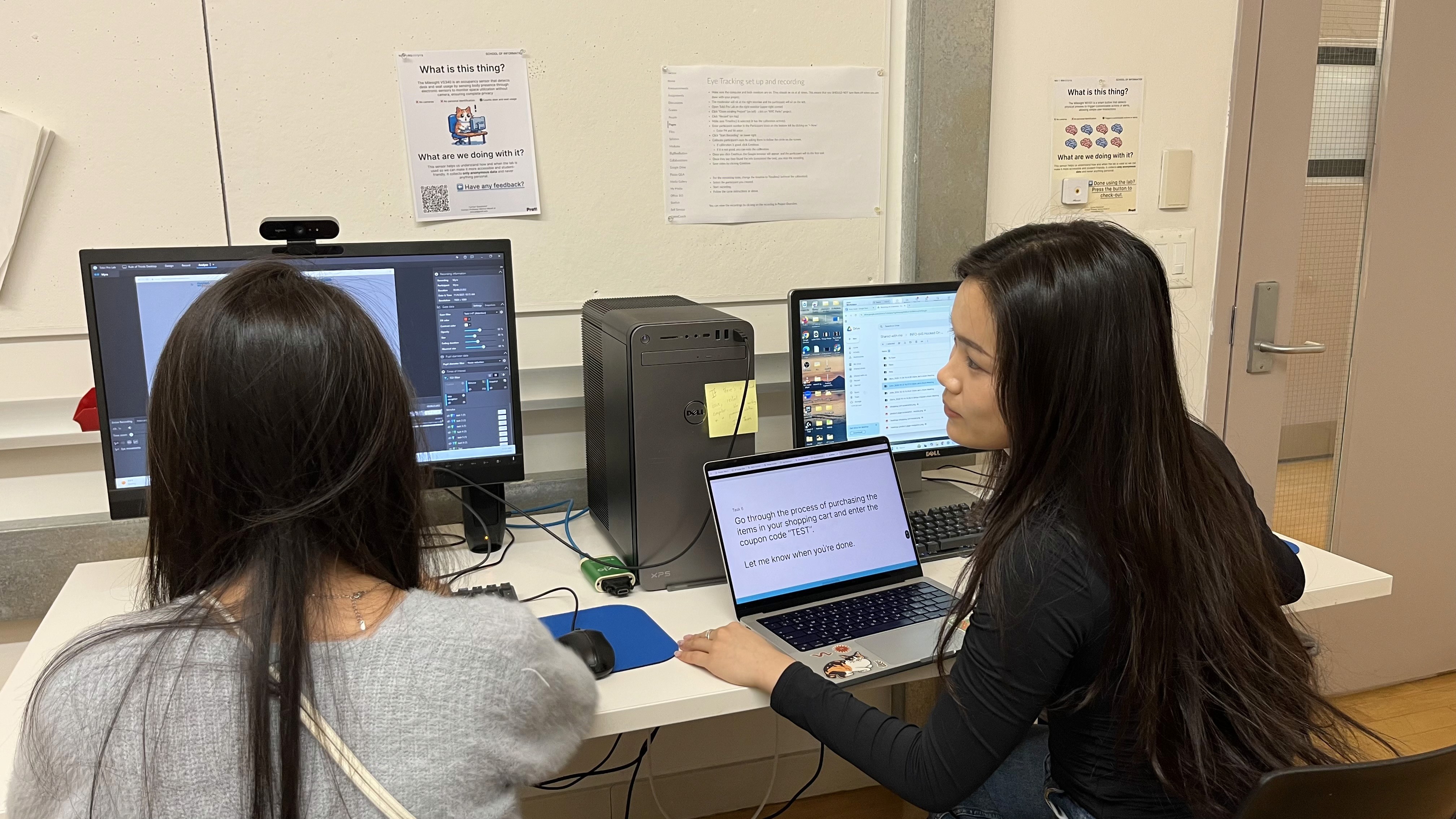
Pilot session (left); task setup in Tobii Pro Lab (middle); formal usability tests (right)
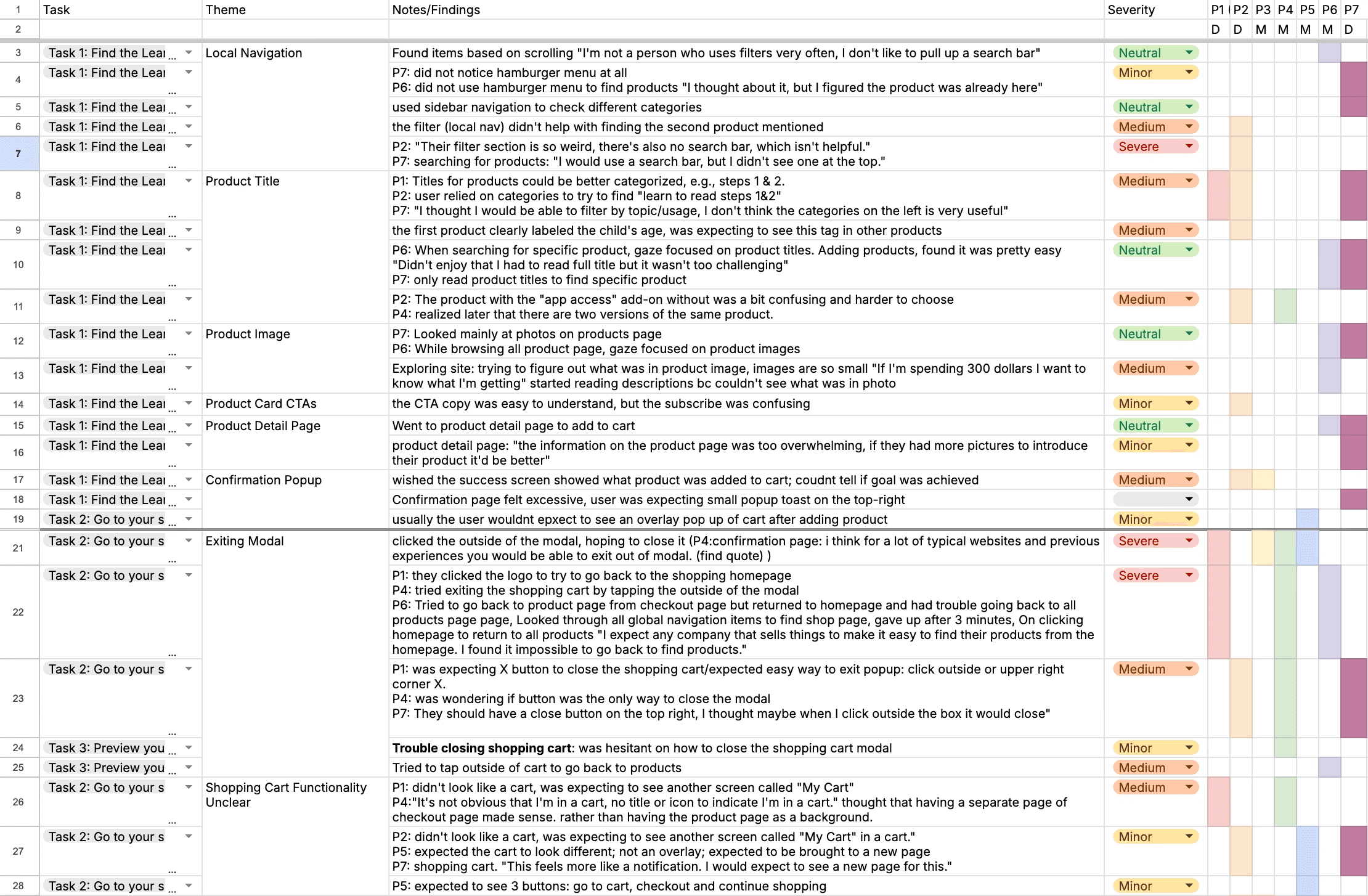
Consolidated rainbow sheet grouped finding into themes
We consolidated our study notes and grouped trends based on:
Observations of frustration at specific steps,
Repeated struggles with identical touchpoints or calls to action,
User quotes that reflected common expectations or confusion regarding interactions or UI elements.
Research Results
Data from testing and existing analytics confirmed our hypotheses
We combined eye-tracking heat maps, session recordings, user quotes, and VWO click analytics to validate findings across behavioral and self-reported data.

Brainstorm board for insights and evidence
What we found:
Users could navigate the basic flow, but four critical friction points were blocking conversions:
Cart lacked visual clarity and control
1
Users couldn't quickly scan items or make edits
Interface design slowed task completion
2
Unclear CTAs increased time-on-task
Outdated checkout layout hurt efficiency
3
Users backtracked or hesitated at key steps
Product titles and categories confused browsing
4
Long names and unclear taxonomy made discovery difficult
Note
Due to NDA restrictions, we are not displaying VWO-derived visuals here, but data that informed and supported these findings.
Finding #1
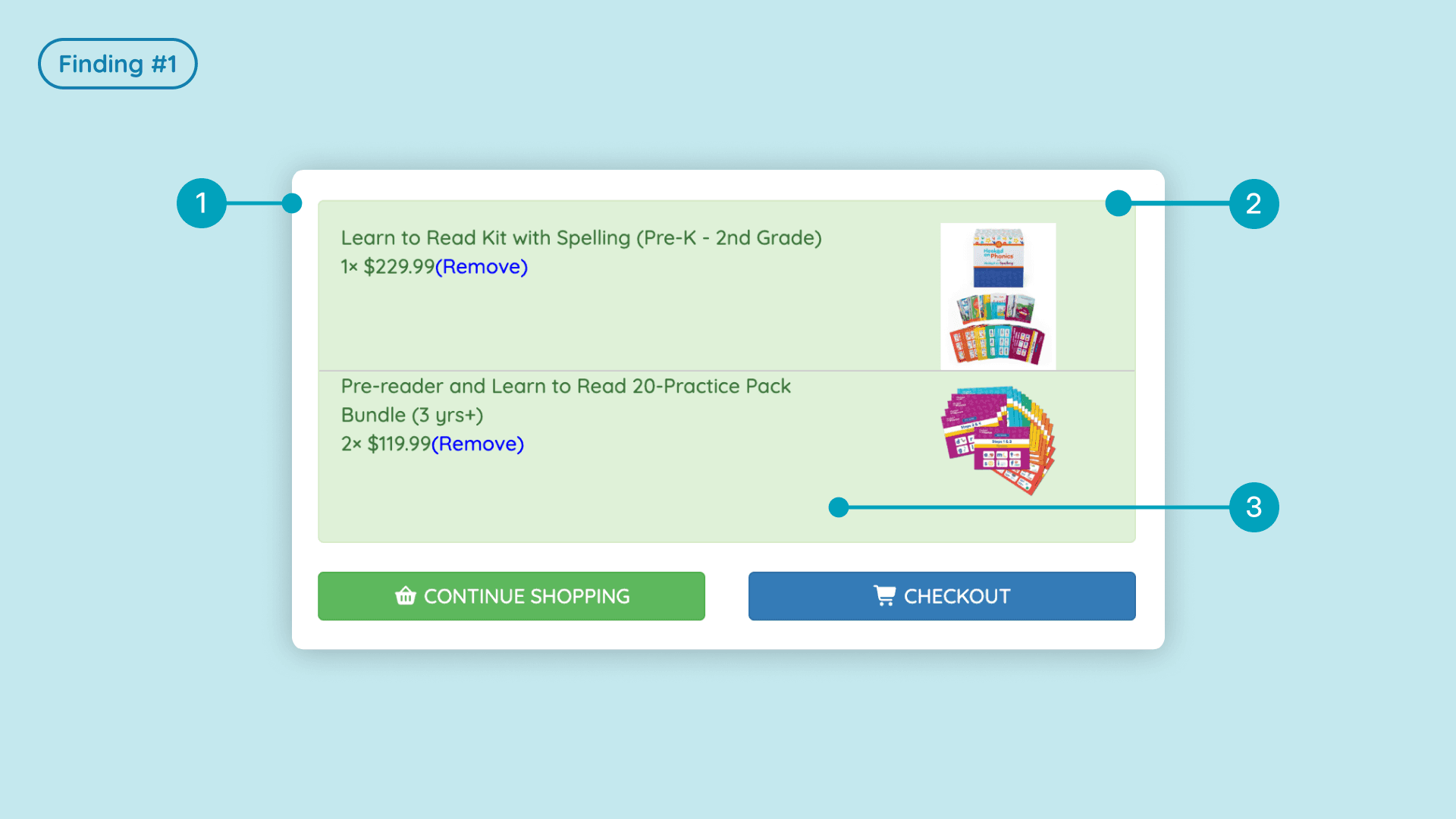
Users expected clear visual cues and control in shopping cart
1
Cart functionality felt unclear
Several participants were unsure when they were interacting with the cart:
3 of 7 users
said they expected a dedicated shopping cart page or screen.
2 of 7 users
wanted clearer labels or icons signaling that they were viewing the cart.
2
Dismissal of the cart modal caused confusion
Every participant struggled to close the cart modal:
4 users
instinctively tried clicking outside the modal boundary to dismiss it.
3 users
said they expected a close button in the top-right corner.
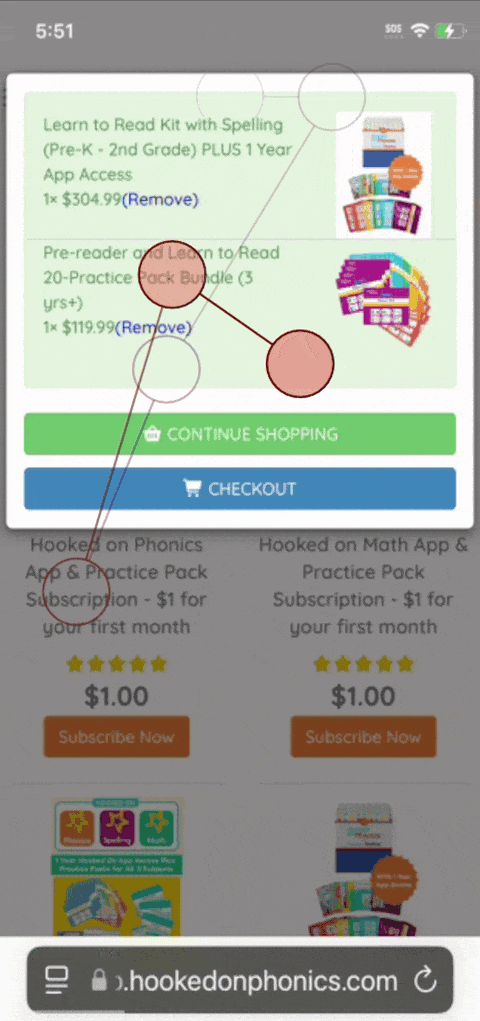
One user repeatedly clicked outside the modal and ultimately used native phone gestures to navigate back.
VWO click maps also supported this behavior: we observed numerous dead clicks outside the cart modal, indicating users were trying to interact with elements that didn’t respond.
3
Participants wanted quantity controls within the cart
Although quantity controls had been recently introduced on the live site, the lack of clear affordances made their absence felt during testing.
All 7 users
looked for a way to adjust product quantities directly in the cart.

One user’s gaze fixated on the right side of the product card when attempting to add more units:
💬
“It’s inefficient that I have to remove it and add it back to my screen… It would be annoying if I had multiple items in my cart.” - Participant
One user demonstrated this clearly by scanning the remove button repeatedly, expecting to see plus/minus controls there:
💬
“I was expecting to see the minus and plus icons here ... I was a little bit annoyed cuz if I could just change the quantity here, it would be much easier.” - Participant
Finding #2
Interface design in the cart affected user efficiency
1
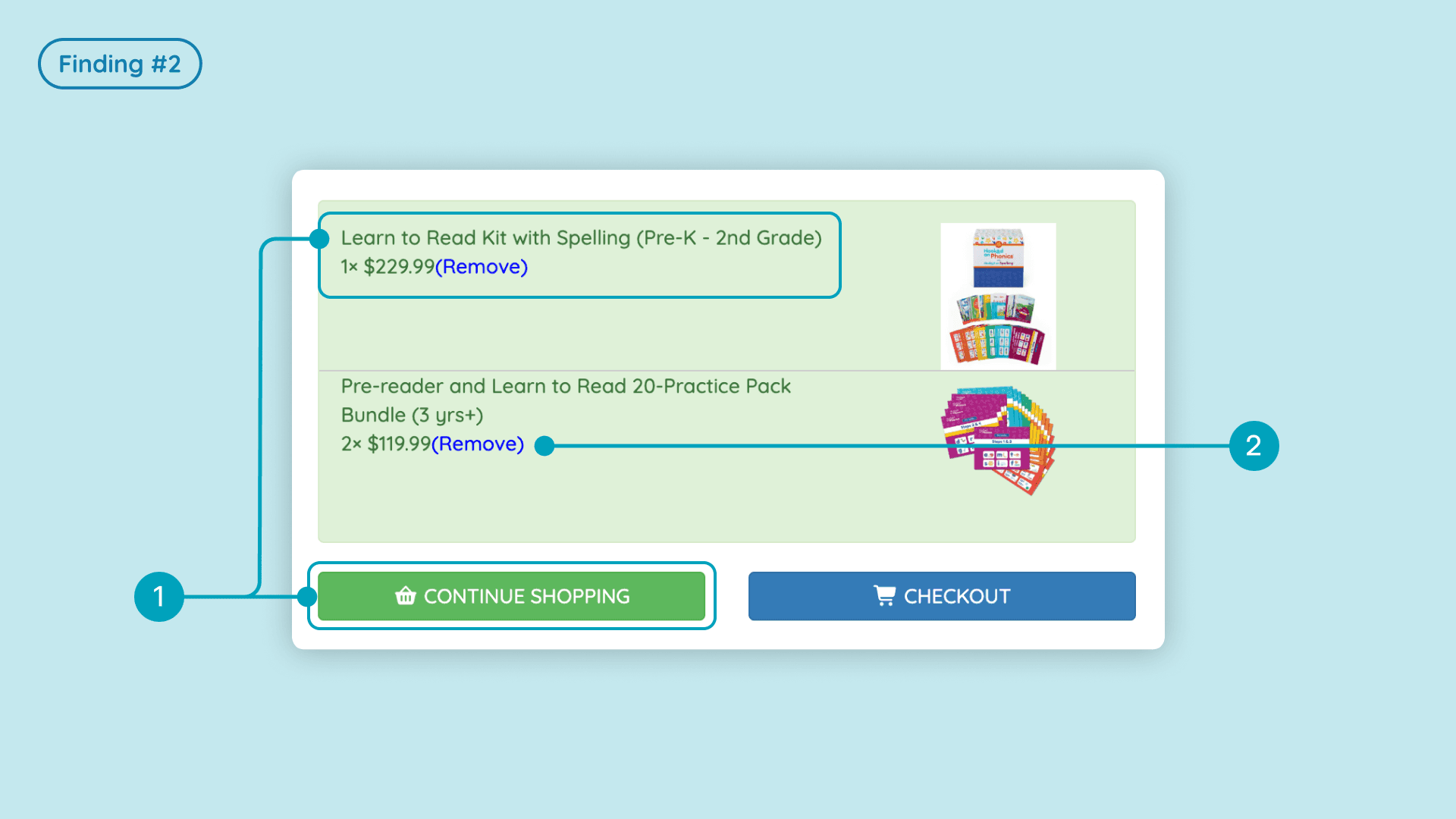
Poor readability reduced comprehension
3 of 7 users
said the call-to-action buttons and product titles were hard to read due to the small font size and low contrast.
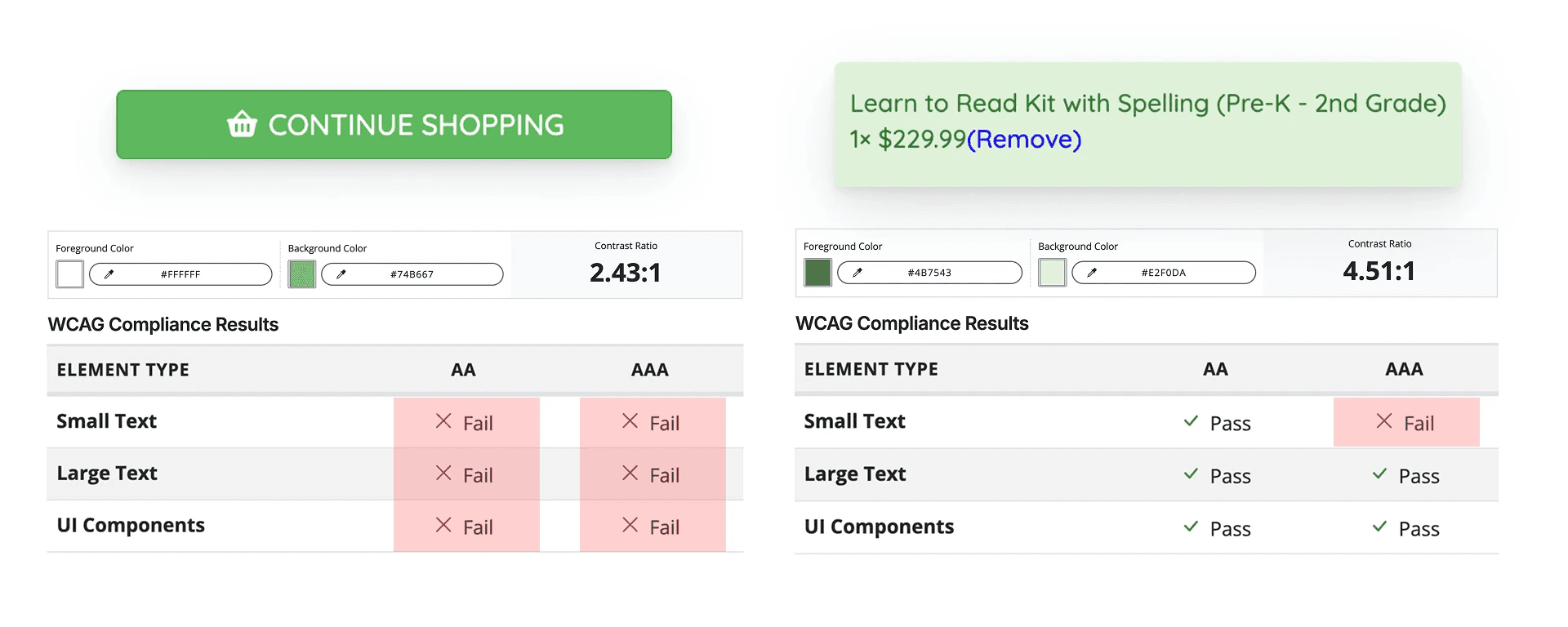
WCAG standards analysis confirmed that CTA contrast levels did not meet AA compliance, and product titles did not meet AAA compliance.
2
Users couldn’t easily find the ‘Remove’ button
All 7 users
struggled to close the cart modal, with 3 users having difficulty locating the ‘Remove’ button and resorted to alternative methods to delete items.

A user fixated on the remove button but explained in the think-aloud that they were actually searching for quantity controls, revealing overlapping expectations about how cart actions should work.
Why does this matter?
When basic actions like reading text or removing an item are difficult, users spend extra cognitive effort just to complete simple tasks.
In an e-commerce context, even small usability barriers caused by interface design can decrease trust and increase the likelihood of abandonment, especially when users are ready to commit to a purchase.
Finding #3
Outdated checkout layout slowed navigation and checkout efficiency
1
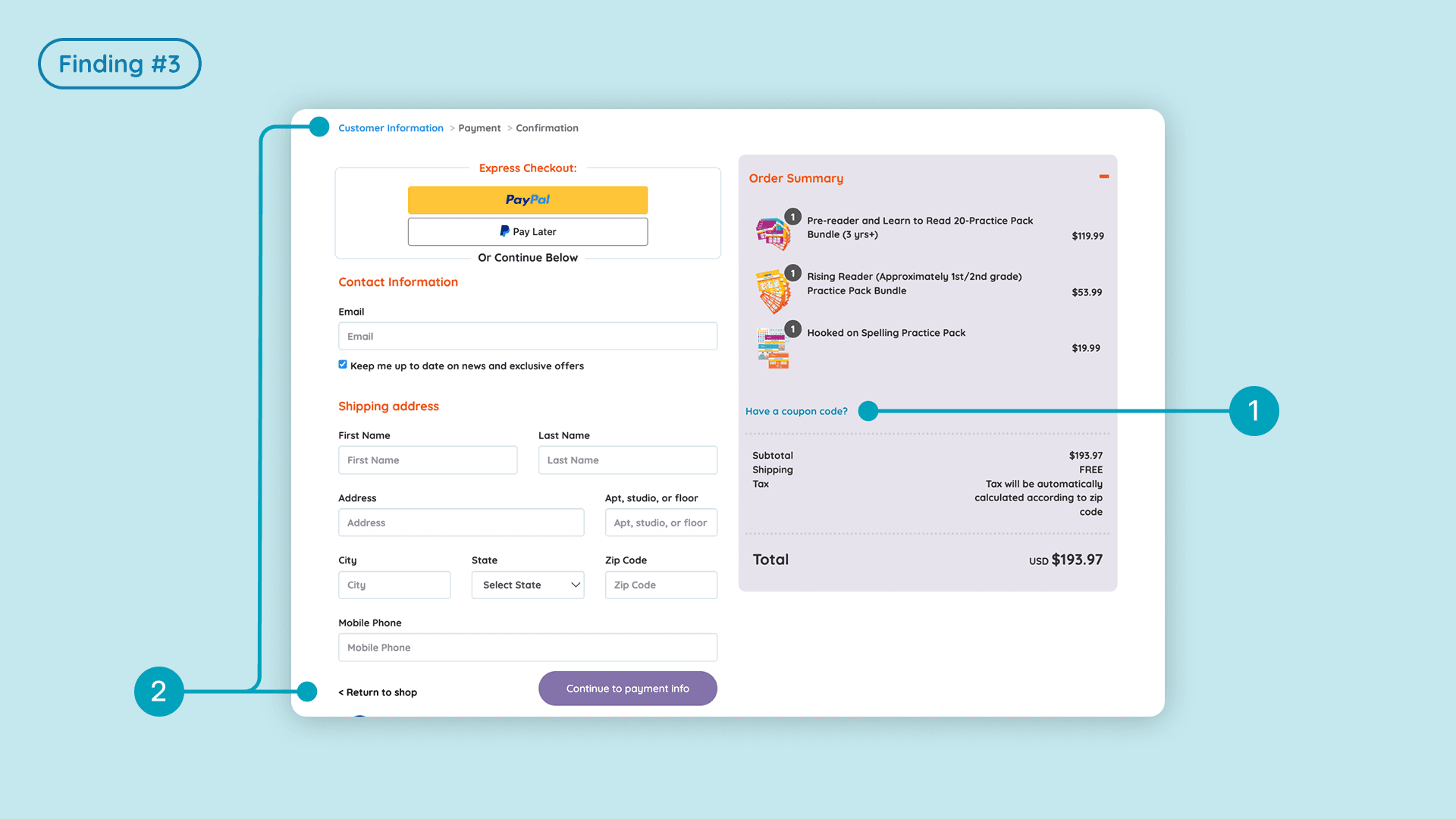
Coupon entry field was hard to find
3 of 7 users
initially could not find the coupon field where they expected to see it.

2
Navigation back to products was confusing
Users had difficulty returning to the product listing or cart from the checkout page:
3 of 7 users
did not notice the “Return to Shop” option at the bottom of the page.
💬
“I found it difficult to go back to the product page from the cart.” - Participant
💬
“I didn’t think the ‘go back to shopping cart’ button would be at the bottom, it’s too small.” - Participant
Participants expected more conventional navigation patterns, such as clicking the logo to return to a previous shopping context; however, clicking the logo redirected them to the homepage.
💬
“Clicking the logo should bring me back to products, but it brought me back to the home page of the entire website instead.”- Participant
VWO heat maps supported this behavior, showing frequent clicks on the logo, indicating users were attempting to navigate back using an expected pattern.
Finding #4
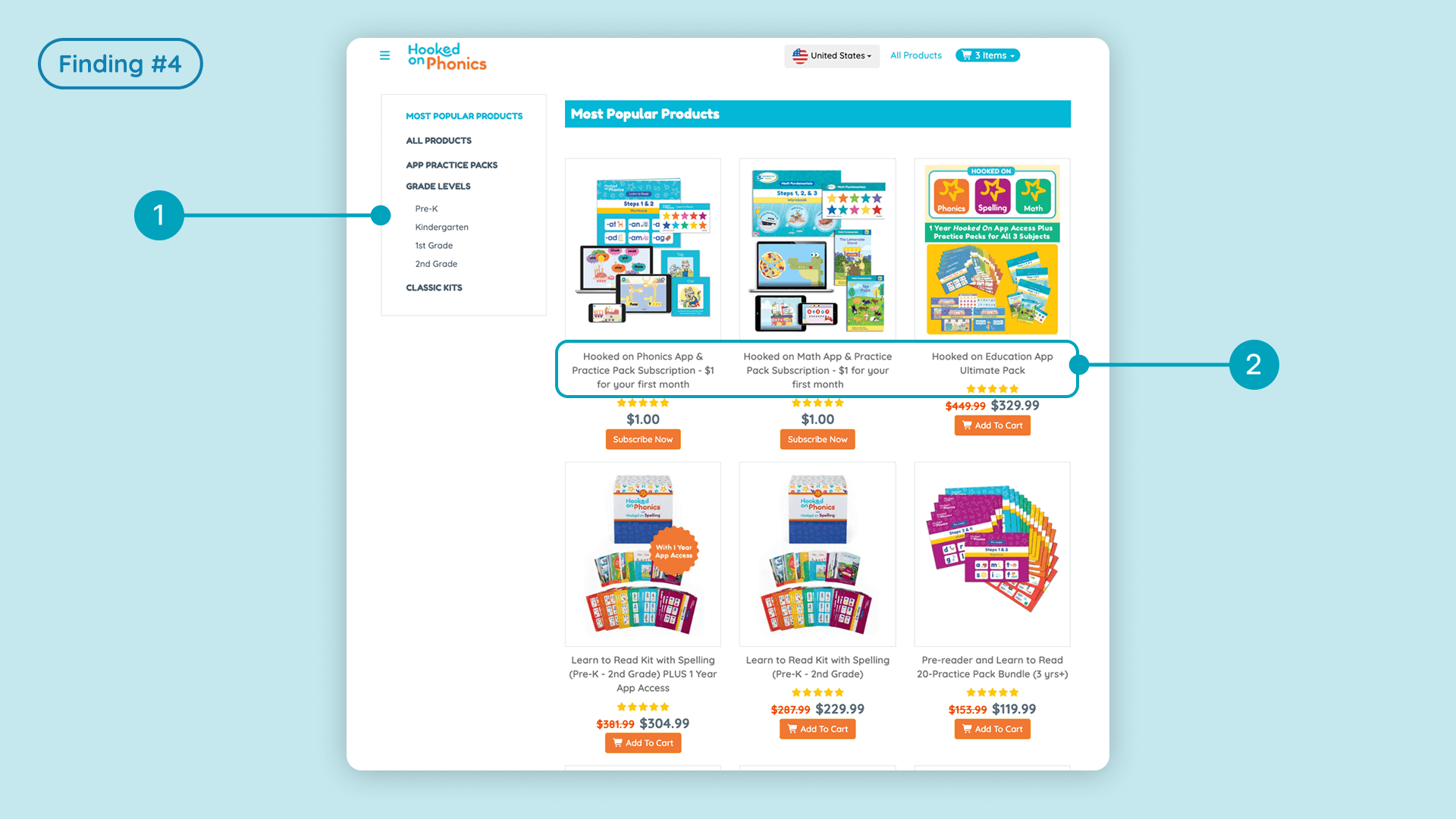
Unclear categories and long titles made product discovery difficult
In addition to evaluating the checkout experience, we also examined the “All Products” page to understand how users browsed and located items.
These insights were important for strengthening the overall shopping journey, not just the checkout flow.
1
Users expected more helpful filtering options
VWO click maps showed frequent interactions with the filtering section, indicating that users naturally gravitated toward filters.
Participants relied on filters and labels to narrow down choices, but found the options insufficient or missing.
💬
“The first product clearly labeled the child’s age, and I was expecting to see this tag in other products.” - Participant
💬
“I thought I would be able to filter by topic/usage, I don’t think the categories on the left are very useful.” - Participant
2
Lengthy product names made similar items hard to differentiate
4 of 7 users
found the product titles lengthy and confusing.
Several users mentioned difficulty distinguishing between offerings with similar names, which created uncertainty when deciding which products were appropriate.
💬
“The product with the “app access” add-on without was a bit confusing and harder to choose.”- Participant
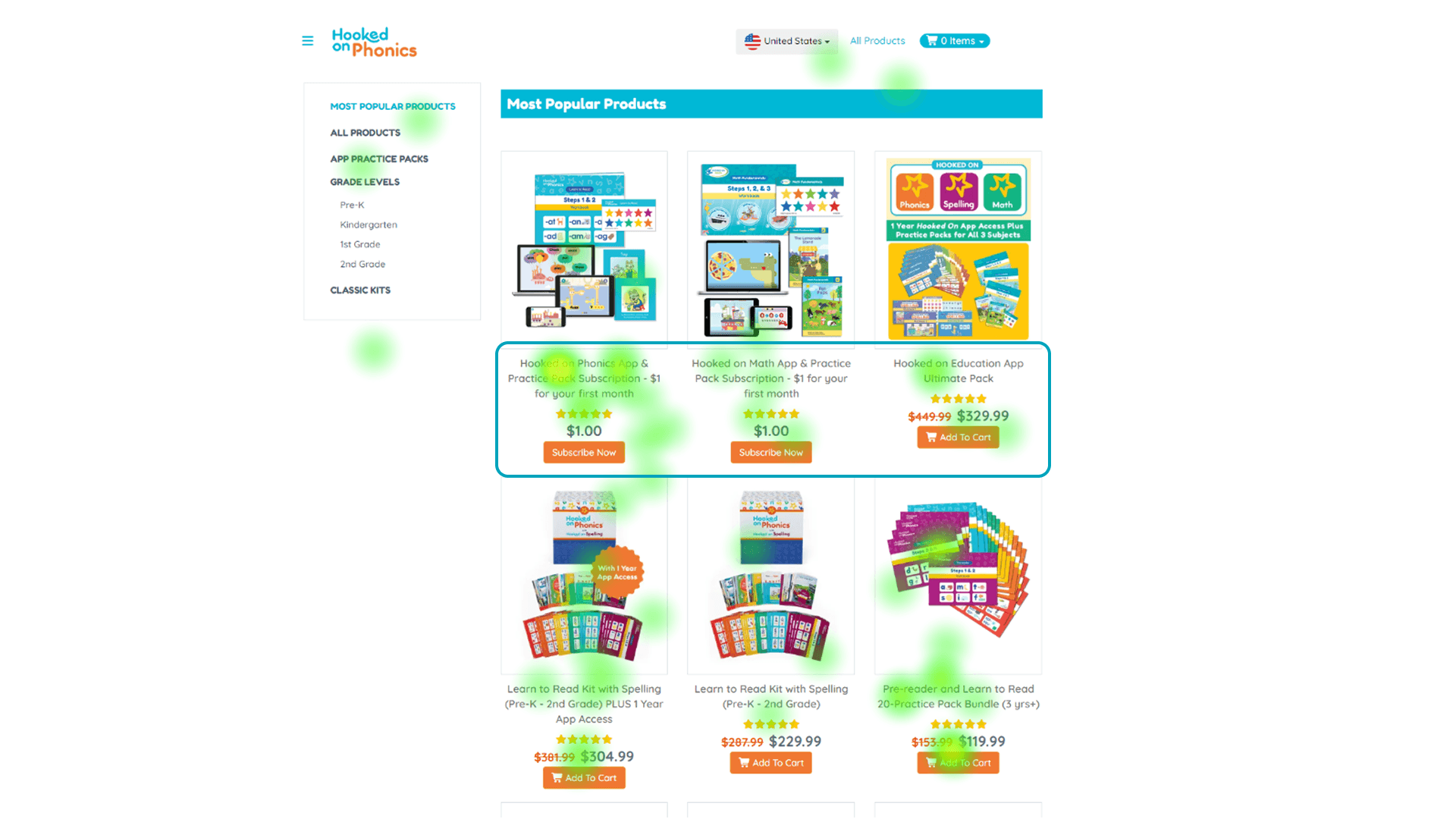
Products page heat map
Design Recommendations
Eliminating confusion with clear visual hierarchy, additional info, and visible CTAs
1
A redesigned shopping cart that restores user control
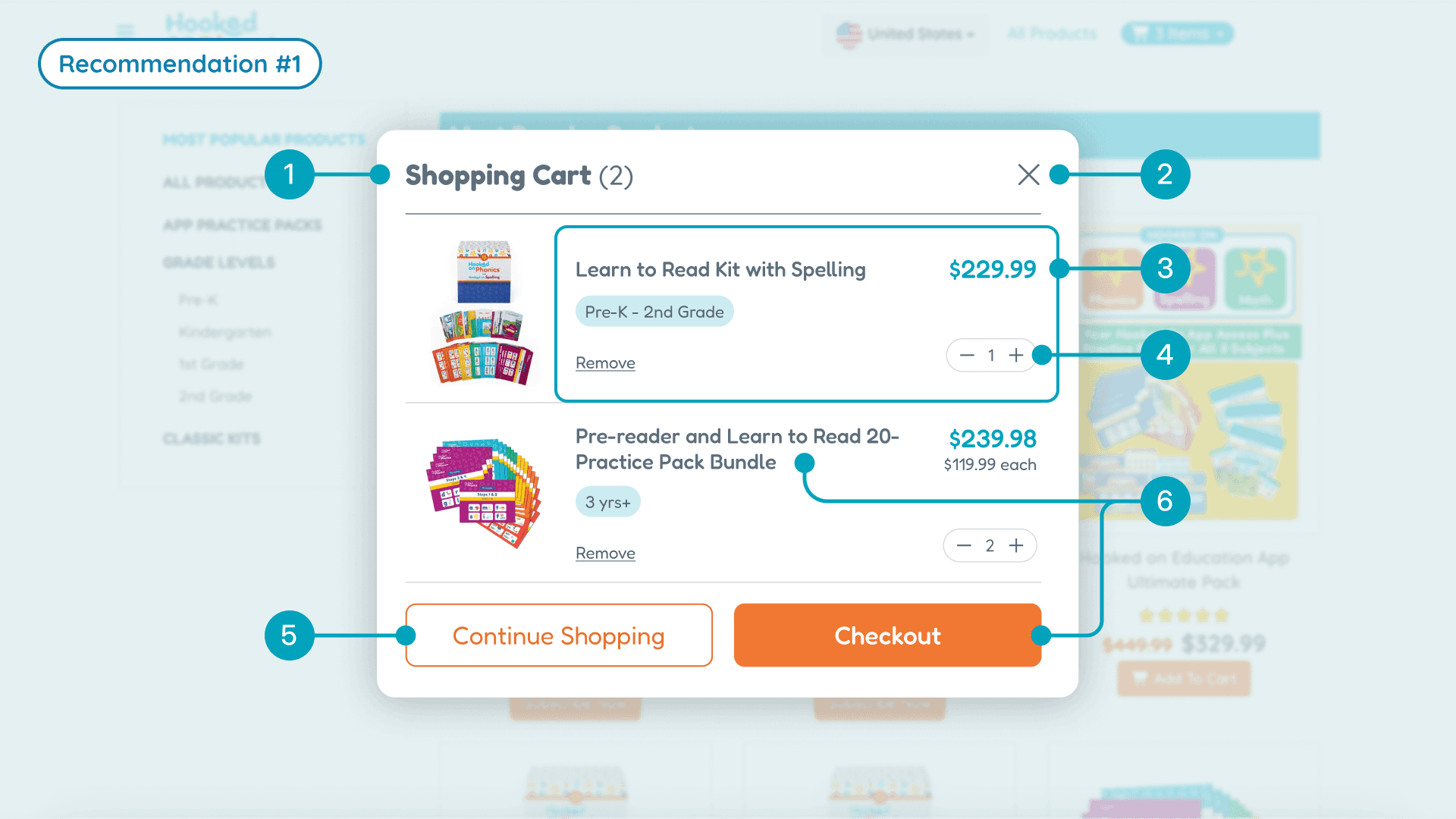
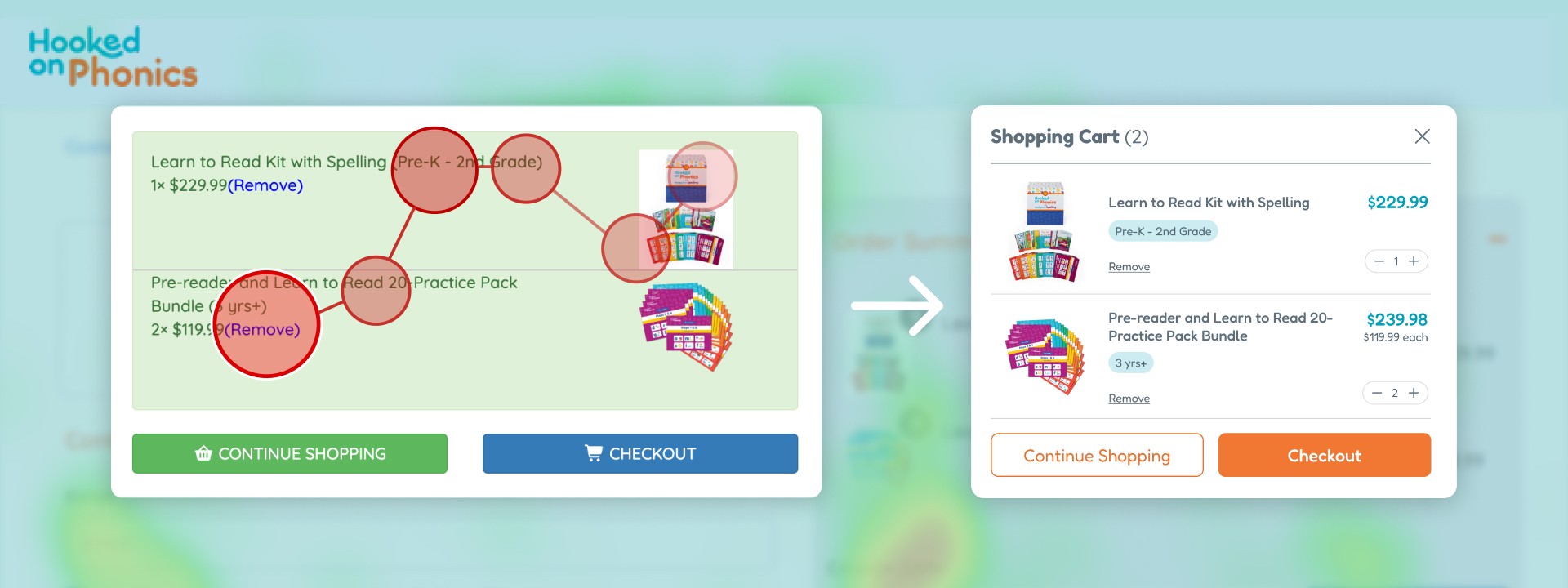
Our new shopping cart design gives users the clarity and flexibility they were missing, resolving issues mentioned in findings 1 and 2.
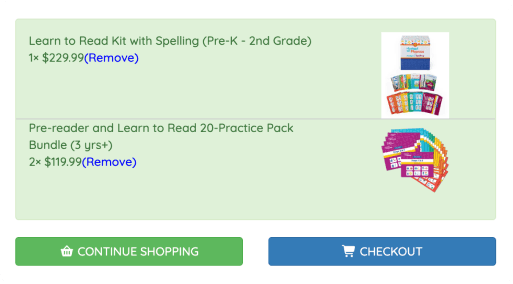
Before
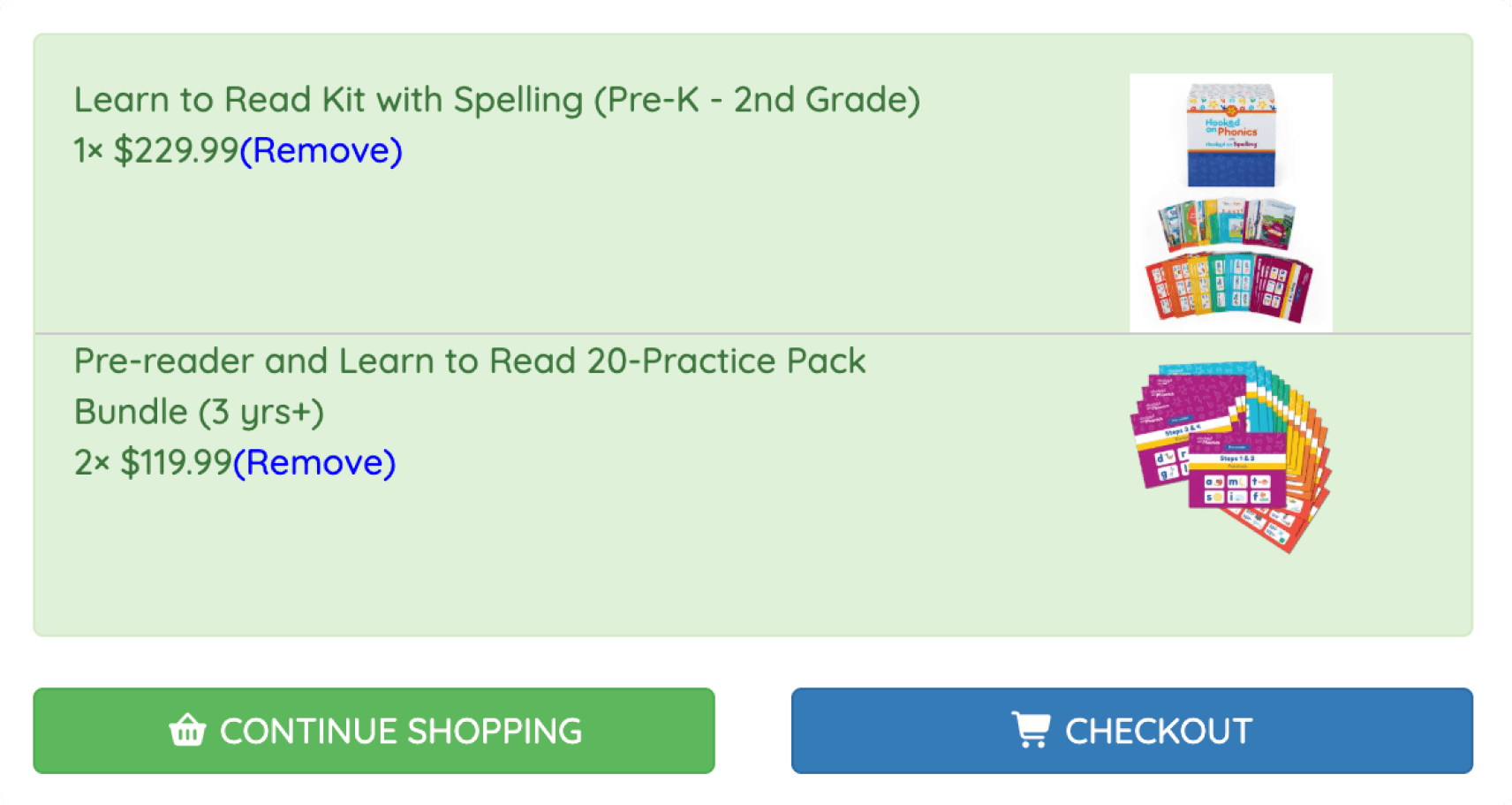
After
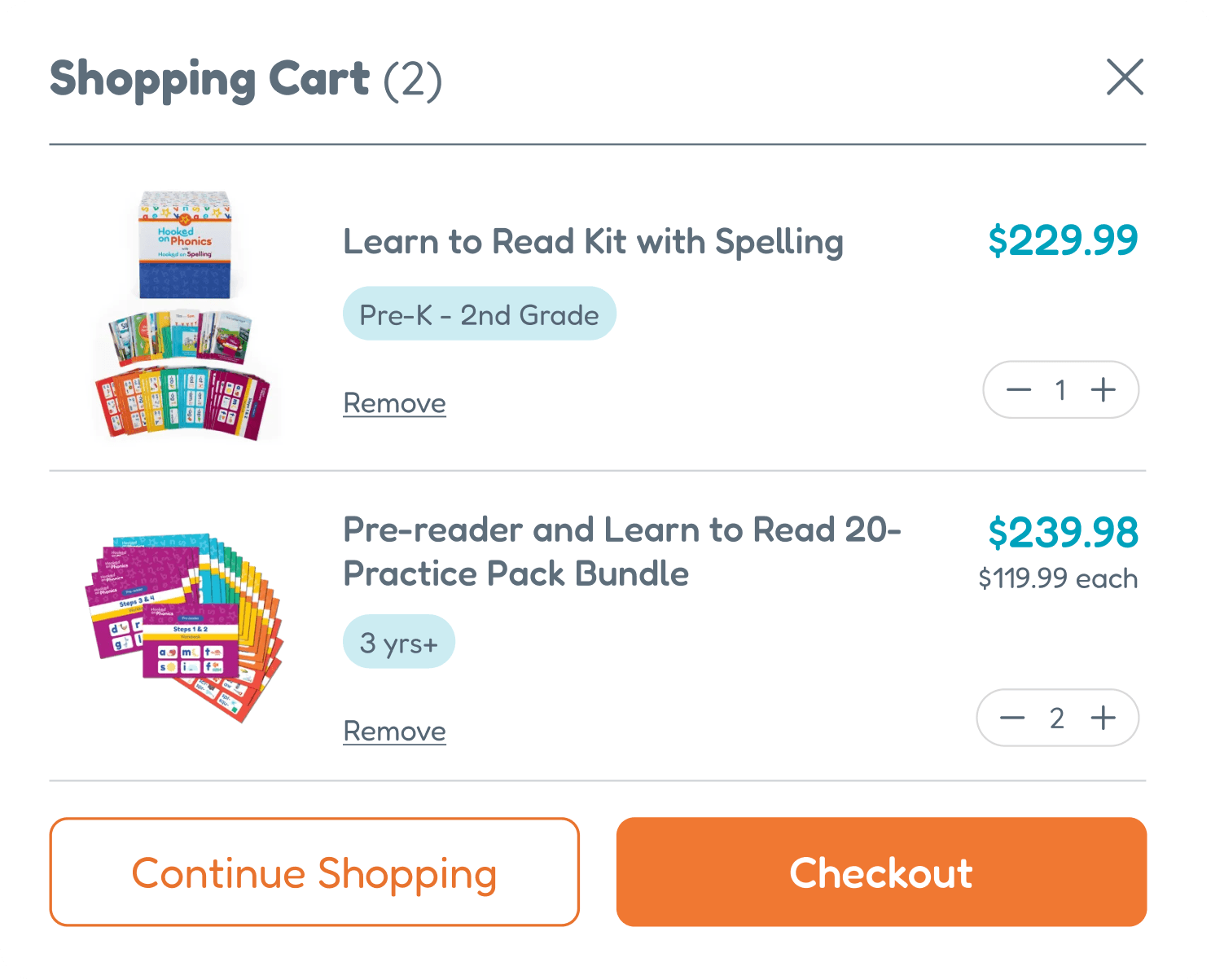
Key improvements include:
2
Restructured checkout page for element discoverability
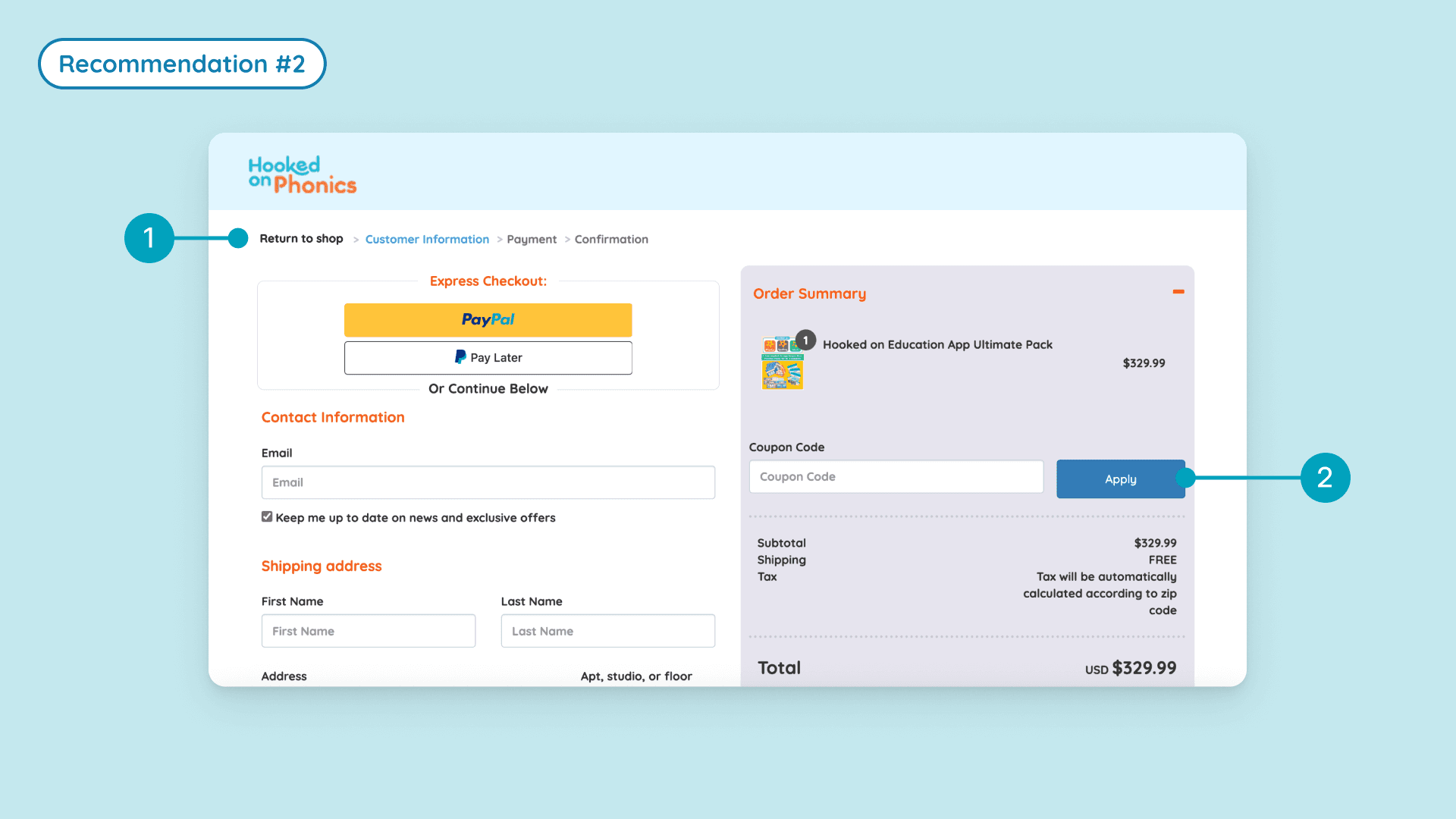
Minor edits to the placement of elements make it easier for users to discover navigation options and functionality.
3
Enhanced product navigation across the site
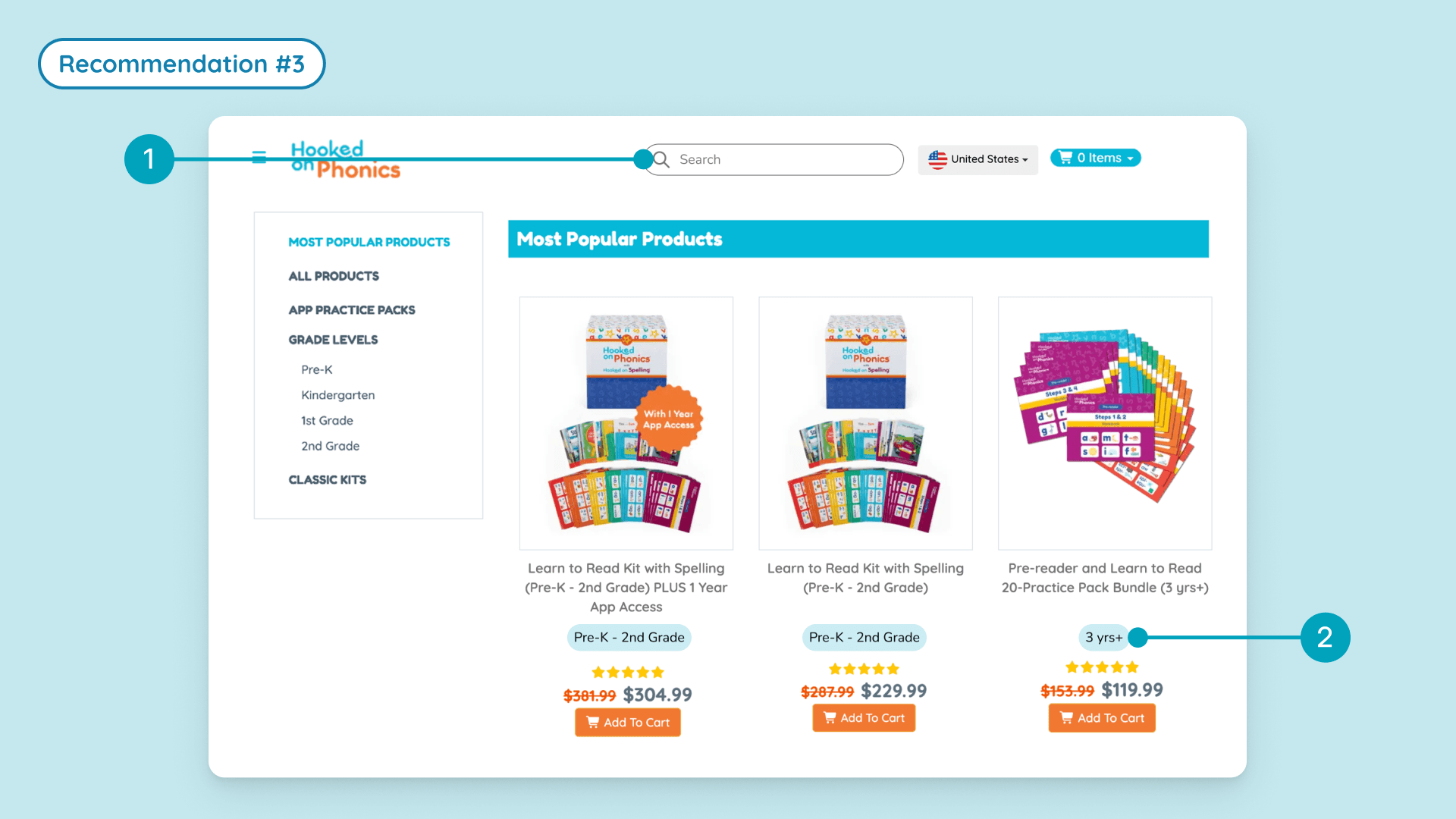
To reduce browsing friction and help users more easily locate products, we also proposed improvements to the site’s navigation:
Impact
Our insights validated client hypotheses and delivered confidence for next steps.
With the design recommendations, we expect an increase in trust and loyalty, a decrease in drop off, and an improvement in conversion rate without negatively impacting order value, which will benefit the business revenue.
In our final presentation, the product team confirmed that many of our findings aligned with their internal assumptions, describing our analysis as “thoughtful” and “clearly presented,” and noting that the findings would be reviewed in detail and shared internally.
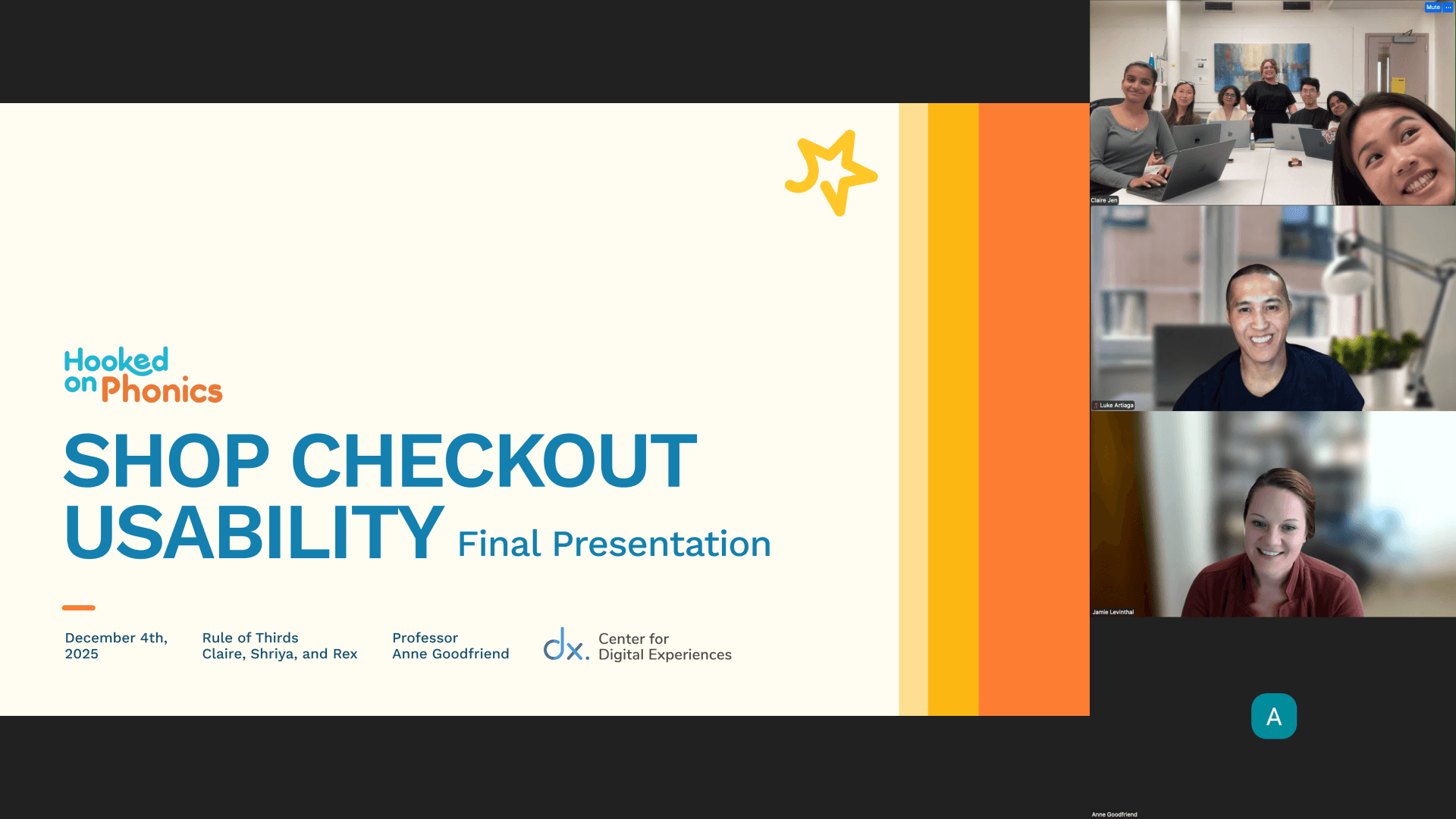
Final presentation with the Hooked on Phonics product design team
Learnings
I learned that…
Eye-tracking data is powerful, but only when paired with user context.
1
Eye-tracking showed where users looked, but retrospective think-aloud revealed why. Heat maps alone would have missed the reasoning behind hesitation and confusion — mixed methods were essential.
Evidence doesn’t always need to be quantifiable.
2
User quotes proved as powerful as metrics. Eye-tracking validated patterns, but a single clear comment often revealed the underlying issue faster than data alone.
Usability testing remains one of my favorite research stages, and observing what users do versus what they say continues to deepen my understanding of human behavior and the influence of social desirability bias.